
Registration Open
Build a User Management REST API - Week of 16 Nov 2026
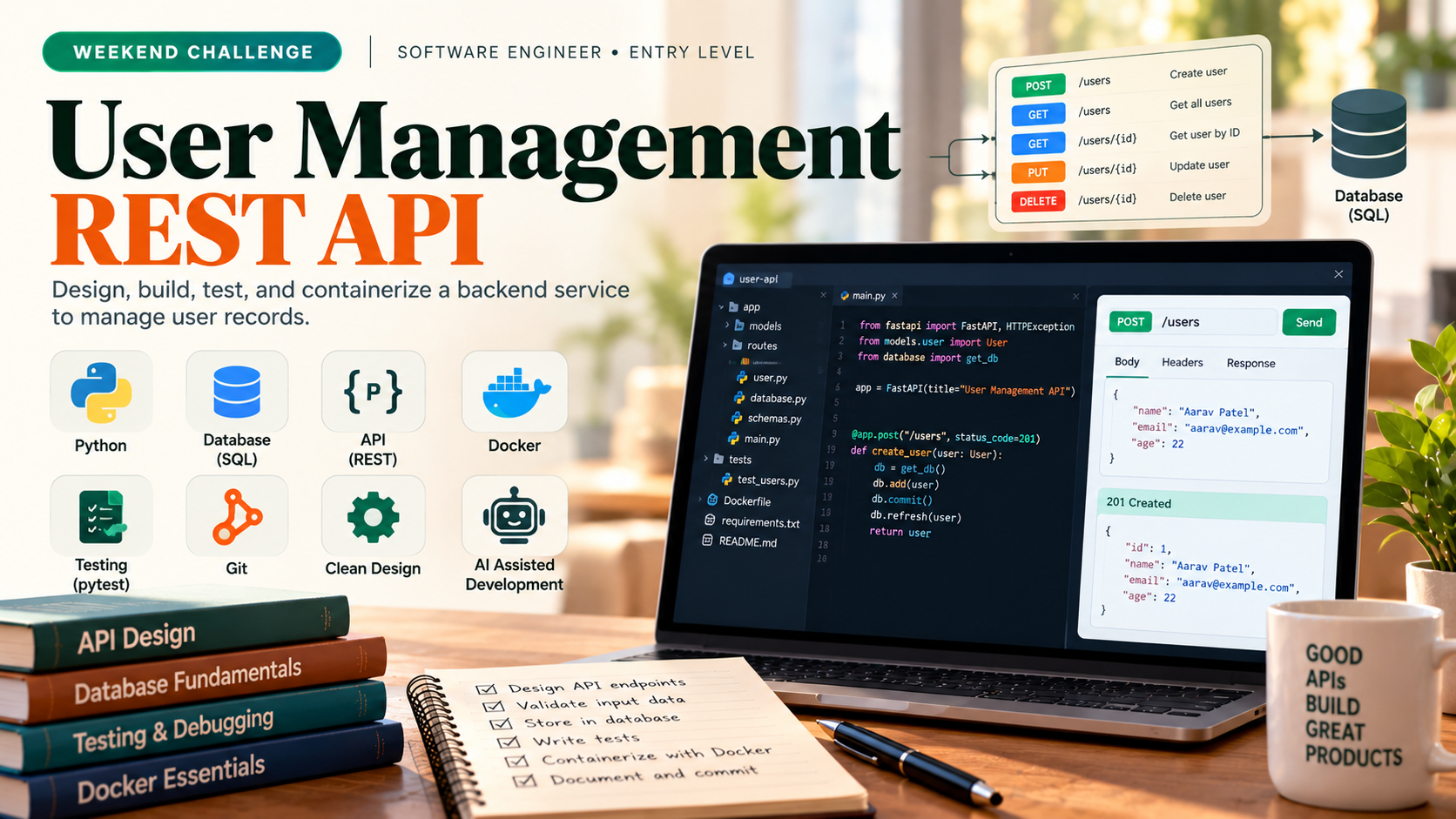
Design and implement a REST API for managing user records with CRUD operations, validation, and persistence. You may use any of these languages: Python, JavaScript/TypeScript, Java, C#, or Go. Your submission will be evaluated by automated repository checks and a mandatory in-app conversation to verify your understanding.
Software Engineer
Solo only.
Share this challenge
The Challenge Brief
Problem definition
You are building a backend service that stores and retrieves user records. The API must accept HTTP requests to create, read, update, and delete users; validate input data; persist records to a database; and return appropriate status codes and error messages. Inputs are JSON payloads with user fields (name, email, age). Outputs are JSON responses confirming success or describing failures. The service runs as a standalone application; no authentication, deployment infrastructure, or external integrations are required. Every line under Success criteria is in scope for this challenge. Build the core scope in Task brief. Topic coverage uses repository evidence where available and the comprehension conversation; it does not require a separate feature for every topic.
Task brief
Implement a REST API with endpoints to create a user, retrieve all users, retrieve a user by ID, update a user, and delete a user. Store records in a relational database (SQLite, PostgreSQL, or equivalent). Validate email format and required fields before saving. Write at least three unit or integration tests covering happy path and error cases. Use version control with meaningful commits. This challenge exercises Programming Fundamentals, Object-oriented Programming, Data Structures & Algorithms, Database Fundamentals, API Development Fundamentals, Security Fundamentals, Software Design Principles, Testing Fundamentals, Debugging & Troubleshooting, AI Assisted Software Development, and Containerization (Docker). Estimated effort: 6–8 hours with AI assistance.
Version Control
Use Version Control to manage the backend service codebase throughout development. Initialize a repository, commit working code incrementally, create branches for features and fixes, and resolve merge conflicts when integrating changes. Your repository history and branch structure will demonstrate how you organize and track the API implementation.
Programming Fundamentals
Programming Fundamentals underpins the backend service by requiring you to write clear, maintainable code that declares variables, applies operators and control flow to validate user input, defines functions to handle API operations, uses collections to manage user records, and handles exceptions when data is invalid or operations fail. You will demonstrate these skills through a working API that accepts JSON requests, processes them correctly, and persists valid records to a database or file store.
Object-oriented Programming
Design and implement Object-oriented Programming principles to build a backend user management API. Structure your code using classes to model domain entities (User, Repository) and API handlers, apply encapsulation to protect internal state, and use inheritance or interfaces to reduce duplication across request handlers. Your implementation will demonstrate how OOP design patterns enable maintainable, testable code that scales as the service grows.
Data Structures & Algorithms
Implement Data Structures & Algorithms to build a reliable backend API that stores, retrieves, and manages user records efficiently. Your solution must use appropriate collection types to hold user data, index records for fast lookup, sort and search user lists by multiple fields, and handle concurrent requests without data loss or corruption. Design choices should reflect awareness of time complexity and trade-offs between data structure options.
Database Fundamentals
Database Fundamentals teaches you to design and query relational databases that power the employee directory API. You will create a schema to store user records, write SQL queries to retrieve and modify data, and understand how indexes and transactions ensure data integrity under concurrent load. This skill underpins every CRUD operation and error-handling decision in your backend service.
API Development Fundamentals
Build a backend API for an employee directory service that accepts HTTP requests to create, read, update, and delete user records. The API must validate JSON payloads containing user fields (name, email, age), persist records to a database, return appropriate HTTP status codes, and provide clear error messages for invalid input. This task covers API Development Fundamentals by implementing core REST principles, CRUD operations, and request/response handling in a language of your choice from the allow-list: Python, JavaScript/TypeScript, Java, C#, or Go.
Security Fundamentals
Implement Security Fundamentals in the employee directory API by validating all user input, rejecting malformed or dangerous data before database persistence, and explaining how your design prevents common injection and data-integrity attacks. This skill ensures the backend service handles untrusted HTTP payloads safely and maintains data consistency across concurrent requests.
Software Design Principles
Apply Software Design Principles to structure your backend service so that business logic, data access, and HTTP handling remain independent and maintainable. Your code should avoid duplication, keep each component focused on a single responsibility, and use dependency injection to manage dependencies between layers. These principles will help your team review and extend the service without refactoring core logic.
Testing Fundamentals
Testing Fundamentals ensures the backend API is reliable and maintainable by writing unit and integration tests that verify core behaviors: user creation, retrieval, updates, deletions, input validation, and error handling. You will write tests with clear assertions, use fixtures to set up test data, mock external dependencies where needed, and demonstrate how tests catch bugs and guide design decisions.
Debugging & Troubleshooting
Implement Debugging & Troubleshooting practices to identify and resolve issues in the user API service. Use logging, breakpoints, and stack trace analysis to diagnose failures in request handling, validation, and database operations. Your implementation must demonstrate systematic problem-solving when the API returns unexpected status codes, rejects valid input, or crashes on edge cases.
Ai Assisted Software Development
In AI Assisted Software Development, you will build the employee directory backend service using an AI assistant to scaffold, debug, and refactor the core CRUD API, validate inputs, and write tests. You will document your prompts, validate AI-generated code against the specification, and explain design decisions made with AI guidance. This skill focuses on effective collaboration with AI tools to accelerate development while maintaining code quality and correctness.
Containerization (Docker)
Containerize the backend user API service using Docker so that the frontend team can run the application reliably in any environment without manual dependency installation. Package the application, database, and configuration into container images and orchestrate them with Docker Compose to simulate the deployment scenario and enable concurrent request handling.
Language and stack
You must choose exactly one language from: Python, JavaScript/TypeScript, Java, C#, or Go. Your README must name the chosen language and include clear steps to run the application (e.g., install dependencies, start the server, run tests). Do not require Python exclusively; any allow-listed language is acceptable. Use a lightweight web framework (Flask, Express, Spring Boot, ASP.NET Core, or Gin) and a relational database (SQLite, PostgreSQL, MySQL, or equivalent).
Scenario
Your team is building an internal employee directory service. The product manager asks you to deliver a prototype API that the frontend team can integrate with in two weeks. The API must reliably store and retrieve employee profiles, handle concurrent requests gracefully, and reject invalid data before it reaches the database. Your solution will be reviewed for code quality, test coverage, and your ability to explain design decisions.
Deliverables
- A working REST API with five endpoints (POST /users, GET /users, GET /users/:id, PUT /users/:id, DELETE /users/:id) that passes all manual and automated tests.
- A relational database schema with a users table, appropriate indexes, and validation constraints.
- At least three unit or integration tests demonstrating correct behavior and error handling.
Success criteria
These are repository evidence checks within the core scope, not additional feature requests. One implementation or test may provide evidence for several topics. Missing implementation evidence remains unverified; explanations alone do not demonstrate implementation proficiency.
Version Control
- Repository Setup (beginner): Repository is initialized with a .gitignore file appropriate for the chosen language; initial commit contains project structure or README.
- Basic Commands (beginner): Commits are present in the repository log with clear, descriptive messages; at least 5 commits show incremental progress on core features (e.g., user model, API endpoints, validation, database integration, tests).
- Commits (beginner): Each commit is atomic and addresses one logical change (e.g., add user creation endpoint, implement email validation, write test suite); commit messages follow a consistent format and explain the what and why.
- Branching (beginner): At least one feature or bugfix branch exists or existed; branch name reflects its purpose (e.g., feature/user-endpoints, fix/validation-error).
- Merging (beginner): Feature branch is merged into main or master; merge is recorded in the repository history.
- Conflict Resolution (intermediate): If merge conflicts occur in the repository, evidence shows they were resolved correctly (conflicting sections edited, markers removed, resolution committed); if no conflicts are present, assess only if they arise during review.
- Pull Requests (intermediate): If the repository uses pull requests, at least one PR shows a clear description of changes, references to related commits or branches, and evidence of review or discussion before merge; if PRs are not used, assess only if the platform supports them.
Programming Fundamentals
- Variables & Data Types (beginner): Code declares and uses typed variables (name, email, age fields) with appropriate data types; type mismatches or invalid assignments are caught before runtime or handled explicitly.
- Operators (beginner): Code uses comparison and logical operators to validate user input (e.g., email format checks, age range validation) and produces correct boolean results.
- Expressions (beginner): Code evaluates expressions to compute validation outcomes and API response payloads; expressions are evaluated in correct order and produce expected results.
- Control Flow (beginner): Code uses if/else or switch statements to route API requests (create, read, update, delete) and to branch on validation success or failure; all branches execute as intended.
- Functions & Methods (beginner): Code defines reusable functions for validation, database operations, and request handling; functions accept parameters and return results correctly.
- Collections (intermediate): Code uses arrays or dictionaries to store multiple user records and to iterate over them for retrieval or filtering; collection operations (add, retrieve, iterate) work correctly.
- Exception Handling (intermediate): Code catches and handles exceptions when validation fails, database operations error, or invalid input is received; errors are logged or returned as appropriate HTTP status codes and messages.
- File Handling (beginner): If persistence uses file storage, code reads and writes user records to a file; file operations complete without data loss or corruption. If a database is used, assess only if file handling is present in the implementation.
Object-oriented Programming
- Classes & Objects (beginner): Repository contains at least one class modeling a User entity with properties (name, email, age) and methods; class is instantiated and used to handle API requests or data persistence.
- Constructors (beginner): User or Repository class initializes required state (e.g., user fields, in-memory store or database connection) via a constructor or equivalent initialization method; constructor is invoked when objects are created.
- Encapsulation (beginner): User or Repository class uses access modifiers or naming conventions to hide internal state; public methods provide controlled access to private or protected data.
- Inheritance (intermediate): If present in the codebase, a base class or interface is inherited by at least one concrete class (e.g., Handler or Repository subclass); inheritance reduces code duplication across related request handlers or storage implementations. Assess only if present; not required if single handler or repository suffices.
- Polymorphism (intermediate): If inheritance is used, at least one method is overridden or implemented differently in a subclass or concrete implementation; method calls dispatch to the correct implementation based on object type. Assess only if present.
- Abstraction (intermediate): Core business logic (validation, persistence, response formatting) is separated into distinct methods or classes; callers interact with high-level operations without knowing implementation details.
- Interfaces (intermediate): If used, at least one interface or abstract contract defines method signatures for Repository or Handler classes; concrete implementations satisfy the contract. Assess only if present; equivalent to base class or protocol.
- Composition (intermediate): User or Repository class contains or aggregates other objects (e.g., a Repository holds a collection of User objects, or a Handler uses a Repository instance); composed objects collaborate to fulfill API requests.
Data Structures & Algorithms
- Arrays (beginner): Repository contains code that stores user records in a collection (array, list, or equivalent) and retrieves individual records by index or iteration; test or code trace confirms correct access and modification.
- Lists (beginner): Repository uses a list or dynamic array structure to add, remove, and iterate over user records; test output or code review shows that insertion, deletion, and traversal work correctly.
- Stacks (beginner): If present in the repository, code demonstrates use of a stack (e.g., for undo/redo or request history); test or trace confirms push, pop, and peek operations function correctly. Assess only if implemented; not required for core scope.
- Queues (beginner): If present in the repository, code demonstrates use of a queue (e.g., for request buffering or task scheduling); test or trace confirms enqueue, dequeue, and FIFO order are correct. Assess only if implemented; not required for core scope.
- Hash Tables (intermediate): Repository uses a hash-based structure (dictionary, map, or equivalent) to index users by email or ID for O(1) lookup; code or test demonstrates that duplicate keys are handled and retrieval is fast.
- Sorting (intermediate): Repository sorts user records by name, email, or age; code or test output confirms correct order and handles edge cases (empty list, single record, duplicate values).
- Searching (intermediate): Repository implements or uses a search function (linear or binary) to find users by name, email, or other field; test or code trace shows correct results for present and absent records.
- Time Complexity (intermediate): Code comments or design document explain the time complexity (Big O) of at least two core operations (e.g., lookup, insert, sort); reasoning is accurate for the chosen data structures.
Database Fundamentals
- Relational Databases (beginner): Repository contains a schema definition (SQL DDL or ORM model) that defines at least one table with primary key, column types, and constraints appropriate to store employee records (name, email, age).
- SQL Basics (beginner): SELECT, INSERT, UPDATE, and DELETE queries are present in the codebase or test fixtures and execute correctly against the database without syntax errors.
- CRUD Operations (beginner): API endpoints for create, read, update, and delete user records are implemented and tested; each operation persists or retrieves data from the database and returns correct HTTP status codes (201, 200, 404, 400 as appropriate).
- Joins (intermediate): If the schema includes a related table (e.g., departments, roles, or audit logs), at least one query joins two tables and returns the expected result set; assess only if present in the core design.
- Indexes (intermediate): Schema or migration includes at least one index on a frequently queried column (e.g., email); query execution plan or test performance demonstrates the index is used; assess only if indexing is implemented.
- Transactions (intermediate): Code that performs multi-step operations (e.g., create user and log action, or update user and validate constraints) uses explicit transaction control; rollback behavior is tested or demonstrated when a constraint violation occurs.
API Development Fundamentals
- HTTP Basics (beginner): API listens on a defined port and responds to GET, POST, PUT, DELETE requests with correct HTTP method routing.
- REST Principles (beginner): Endpoints follow resource-based URL patterns (e.g., /users, /users/{id}) and use HTTP verbs semantically for CRUD operations.
- CRUD APIs (beginner): All four operations (create, read, update, delete) are implemented and functional; records persist across requests.
- Request & Response (beginner): API accepts JSON request bodies with user fields and returns JSON responses; request parsing and response serialization work correctly.
- Status Codes (beginner): API returns 200/201 for success, 400 for invalid input, 404 for missing resources, and 500 for server errors; status codes match the operation outcome.
- JSON (beginner): Request payloads and response bodies are valid JSON; field names and data types are consistent across requests and responses.
- API Validation (intermediate): Input validation rejects missing required fields, invalid email format, or out-of-range age before database operations; validation errors return 400 with descriptive messages.
Security Fundamentals
- Authentication (beginner): If the API requires login or token validation, verify requests without valid credentials are rejected with 401 status. If core scope does not include authentication, assess only if present.
- Authorization (beginner): If the API enforces role-based or user-scoped access (e.g., employees can only read their own record), verify code implements access checks before returning data. If core scope does not include multi-user access control, assess only if present.
- Input Validation (beginner): API rejects requests with missing required fields (name, email, age), invalid email format, non-numeric age, or oversized payloads; returns appropriate 400-level status codes with error messages. Inspect test cases or manual request logs confirming rejection behavior.
- Password Security (beginner): If user records include password fields, verify the repository contains no plaintext passwords in code, tests, or documentation; if passwords are stored, confirm they are hashed (not encrypted or salted alone). If no password feature exists in core scope, assess only if present.
Software Design Principles
- Separation of Concerns: Repository contains distinct layers or modules for HTTP request handling, business logic (validation, user operations), and data persistence; a change to database schema does not require modification of request handler code.
- DRY: No duplicated validation logic, error handling, or data transformation code across request handlers or service methods; reusable functions or classes are extracted and called from multiple locations.
- KISS: Core request handlers and service methods are straightforward and readable; complex logic is broken into small, named functions rather than nested conditionals or long procedural chains.
- SOLID Principles: Each class or module has a clear, single responsibility (e.g., UserRepository handles only database queries, UserService handles only business rules); interfaces or contracts are used to decouple layers so that swapping a database implementation does not break service logic.
- Dependency Injection: Service classes receive their dependencies (e.g., database connection, logger, validator) via constructor or function parameters rather than creating them internally; at least one test or alternate configuration demonstrates that a dependency can be substituted without changing service code.
Testing Fundamentals
- Unit Testing (beginner): Repository contains at least one runnable unit test file (pytest, Jest, JUnit, xUnit, or equivalent for chosen language) that tests at least one API endpoint or business logic function; test runs without errors and reports pass/fail status.
- Assertions (beginner): Test file contains at least two distinct assertion statements (e.g., assertEqual, assertTrue, expect, assert) that verify expected vs. actual values or behavior; assertions are specific to the test case (not generic).
- Test Fixtures (beginner): Test file uses at least one fixture, setup method, or test data factory to initialize test state (e.g., sample user objects, database state, or mock request data) before test execution; fixture is reused across at least two test cases.
- Mocking (intermediate): If external dependencies (database, HTTP client, or service calls) are present in the core code, at least one test uses a mock or stub to isolate the unit under test; mock is configured to return a specific value or raise an exception, and test verifies the unit behaves correctly given that mock response.
- Integration Testing (intermediate): Repository contains at least one test that exercises the full request-response cycle (e.g., HTTP POST to create a user, verify database state, check response status and body); test does not mock the API handler or database layer, only external services if present.
Debugging & Troubleshooting
- Breakpoints (beginner): If a debugger is used in the learner repo, evidence shows breakpoints set in request handlers or validation logic and reasoning for their placement; if no debugger artifact is present, assess only if present.
- Debugging Techniques (beginner): Code or test output demonstrates use of at least one debugging technique (print/log inspection, stepping through a failure scenario, or isolating a failing component) to resolve a specific bug or validate a fix.
- Logging (beginner): Repository contains structured log statements at key points in request handling (entry, validation, database operations, response) that capture request details and outcomes; logs are readable and can be run or inspected in the application output.
- Stack Traces (intermediate): Repository contains at least one error scenario (test case or documented failure) where a stack trace is captured and the learner identifies the failing function and root cause location; evidence shows the trace was used to guide a fix or explanation.
- Root Cause Analysis (intermediate): Commit history or code comments show investigation of at least one failure (e.g., validation rejecting valid input, wrong status code, database error) where the learner traces the issue to its source and applies a targeted fix rather than a superficial patch.
Ai Assisted Software Development
- Working with AI Assistants (beginner): Repository contains evidence of AI tool use in commits, code comments, or version history (e.g., "generated with AI", "refined via assistant", or iterative refinement patterns) across at least three distinct tasks (code generation, debugging, refactoring, or testing).
- Prompt Writing Fundamentals (beginner): At least two commit messages or inline comments document the prompt or instruction given to the AI assistant; prompts are specific enough to reproduce the task (e.g., "asked AI to validate email format in user creation" or "prompted assistant to extract validation logic").
- Code Generation (beginner): Repository contains HTTP endpoint implementations (create, read, update, delete user records) with JSON request/response handling and appropriate status codes; commit history or code comments show AI assistance was used to generate or scaffold these endpoints.
- AI-assisted Debugging (beginner): At least one bug fix or error handling improvement is documented in commit history or code comments showing how an AI assistant helped identify and resolve an issue (e.g., validation logic, database constraint, or HTTP error response).
- AI-assisted Refactoring (intermediate): Code demonstrates at least one refactoring applied with AI assistance (e.g., extracting validation logic, improving error handling structure, or reducing duplication); commit message or comment explains the refactoring goal and how the assistant contributed.
- AI-assisted Unit Testing (intermediate): Repository contains runnable unit tests (in the chosen language) for at least two endpoints or validation functions; commit history or comments indicate AI assistance was used to generate or improve test cases.
- AI-assisted Documentation (beginner): README or inline code comments document the API endpoints, request/response format, and how to run the application; evidence shows AI assistance was used to draft or refine this documentation.
- AI Output Validation (intermediate): Code or test output demonstrates that AI-generated implementations were tested against the specification (e.g., tests pass, API returns correct status codes, validation rejects invalid input); at least one instance of correcting or rejecting AI output is documented.
- AI Limitations & Hallucinations (beginner): Code comments or commit messages identify at least one limitation or error in AI-generated code that was caught and corrected (e.g., "AI suggested incorrect HTTP status code, corrected to 400", "AI missed edge case for empty email").
- Responsible AI Usage (beginner): README or code comments acknowledge appropriate use of AI assistance (e.g., "AI generated scaffolding, manually reviewed and tested", "AI suggested approach, adapted for security") and do not misrepresent AI-generated code as original work.
Containerization (Docker)
- What is Containerization (beginner): Dockerfile exists in repository root, specifies a base image appropriate to the chosen language, copies application source code, installs dependencies via the language package manager, exposes the API port, and defines a startup command.
- Docker Architecture (beginner): Docker image builds successfully without errors using standard docker build syntax; image layers are visible in build output.
- Docker Images (beginner): Built image is tagged and listed by docker images; image size and layer structure are inspectable.
- Docker Containers (beginner): Container runs from the built image; API accepts HTTP requests on the exposed port from the host machine; container stops and restarts cleanly.
- Dockerfile Basics (beginner): Dockerfile uses FROM, COPY, RUN, EXPOSE, and CMD or ENTRYPOINT instructions; syntax is valid and documented in README.
- Building Images (beginner): docker build command completes without errors; resulting image can be run immediately without additional setup.
- Running Containers (beginner): docker run command starts the container; API is reachable on the mapped port; container logs show application startup and request handling.
- Environment Variables (beginner): Database connection string, API port, or other configuration values are passed to the container via docker run -e or docker-compose environment block; application reads and uses them correctly in requests.
- Docker Volumes (beginner): If docker-compose.yml is present, volumes are defined for database persistence or application code; data persists across container restarts or is mounted correctly from host.
- Docker Networks (beginner): If docker-compose.yml is present, services communicate via defined network; application service can reach database service by hostname.
- Docker Compose (intermediate): docker-compose.yml defines services for application and database; docker-compose up starts both services; docker-compose down stops and removes containers cleanly; services are reachable and functional.
- Container Debugging (intermediate): If present, learner demonstrates ability to inspect running container state (docker logs, docker exec, docker inspect) to diagnose configuration or runtime issues.
What to explain
AI assistance is allowed while building the submission. During the comprehension conversation, answer independently without AI tools, search, or outside help. Be ready to trace your actual code, explain decisions and limitations, and reason about a small change or failure case. Conceptual topics do not require a separate coded feature.
Version Control
- Repository Setup (beginner): Explain why a .gitignore is necessary and what files or directories should be excluded for your chosen language and framework.
- Basic Commands (beginner): Describe the purpose of at least three Git commands you used (e.g., git add, git commit, git log) and how they fit into your workflow.
- Commits (beginner): Walk through one of your commits; explain what change it introduced, why it was necessary, and how you decided what to include in that single commit.
- Branching (beginner): Explain why you created a branch for a feature or fix; describe what work happened on that branch and why isolating it from main was useful.
- Merging (beginner): Describe the process you followed to merge your feature branch back into main; explain what you checked before and after the merge.
- Conflict Resolution (intermediate): If conflicts occurred, explain what caused them, how you identified which changes to keep, and how you verified the resolution was correct; if no conflicts arose, explain a scenario in which they might occur and how you would resolve them.
- Pull Requests (intermediate): If you used pull requests, explain what information you included in the description, how you addressed feedback, and what you learned from the review process; if you did not use them, explain when and why a team would use pull requests and what they add beyond a simple merge.
Programming Fundamentals
- Variables & Data Types (beginner): Explain why you chose specific data types for user fields (string for name and email, integer for age) and how type safety helps prevent bugs in the API.
- Operators (beginner): Walk through an example validation check (e.g., email contains @, age is positive) and explain how operators combine conditions to accept or reject input.
- Expressions (beginner): Describe how you construct an expression to validate a user record and what the result means for the API response.
- Control Flow (beginner): Trace through the code path for a create request with invalid data and explain which branch executes and why.
- Functions & Methods (beginner): Explain the purpose of one validation function, what parameters it takes, and what it returns; describe how it is reused across multiple API endpoints.
- Collections (intermediate): Explain how you chose to store user records (array, list, dictionary, or map) and why that structure supports efficient retrieval and iteration in the API.
- Exception Handling (intermediate): Describe a scenario where an exception occurs (e.g., duplicate email, malformed JSON), explain how your code catches it, and justify the HTTP status code and error message you return.
- File Handling (beginner): If file storage is used, explain how you read existing records on startup and how you append new records; if a database is used instead, explain that choice and confirm file handling is not required for this assessment.
Object-oriented Programming
- Classes & Objects (beginner): Explain why the User and Repository classes are separate; describe what responsibilities each class holds and how they interact to handle an API request.
- Constructors (beginner): Trace through code to show how a User or Repository object is initialized; identify what state is set up and why initialization in a constructor is better than setting fields after object creation.
- Encapsulation (beginner): Identify one private or protected field in a class; explain why it is hidden and how public methods control access to it; predict what would break if the field were made public.
- Inheritance (intermediate): If a base class or subclass exists, explain what behavior is shared and what is specialized; describe how inheritance avoids code duplication. If not present, explain a scenario where inheritance would be useful (e.g., different Handler types for different HTTP methods).
- Polymorphism (intermediate): If method overriding is present, trace a call to show how the correct implementation is selected at runtime; explain why polymorphism is better than a large if-else chain. If not present, describe a scenario where it would apply.
- Abstraction (intermediate): Identify one high-level method (e.g., createUser or validateInput); explain what details it hides and how a caller benefits from not knowing the implementation.
- Interfaces (intermediate): If an interface or abstract class is used, describe the contract it defines; explain how concrete implementations satisfy it and why the contract makes the code more flexible. If not present, describe a scenario where an interface would reduce coupling.
- Composition (intermediate): Identify one composed object (e.g., Repository inside a Handler, or User objects inside a Repository); explain how composition enables the parent object to delegate work and why it is chosen over inheritance in this case.
Data Structures & Algorithms
- Arrays (beginner): Explain why arrays are suitable for storing a fixed or growing collection of user records, and describe how index-based access differs from searching by value.
- Lists (beginner): Describe the trade-offs between array and linked-list implementations for the user collection, and explain when dynamic resizing is necessary.
- Stacks (beginner): If a stack is used in the code, explain its purpose (e.g., tracking request history or undo operations) and why LIFO order is appropriate for that use case.
- Queues (beginner): If a queue is used in the code, explain its purpose (e.g., buffering concurrent requests) and why FIFO order is necessary.
- Hash Tables (intermediate): Explain how a hash table enables O(1) user lookup by email or ID, describe collision handling in the chosen implementation, and discuss why this is faster than linear search for large datasets.
- Sorting (intermediate): Justify the choice of sorting algorithm (e.g., quicksort, mergesort, or built-in sort) for user records; explain its time complexity and how it handles edge cases like duplicates or empty lists.
- Searching (intermediate): Compare linear and binary search approaches for finding users; explain when binary search is applicable and why it is faster for sorted data.
- Time Complexity (intermediate): Analyze the Big O time complexity of lookup, insert, and delete operations in your chosen data structures; explain trade-offs (e.g., hash table O(1) lookup vs. O(n) iteration, or sorted array O(log n) search vs. O(n) insert).
Database Fundamentals
- Relational Databases (beginner): Explain why a relational database is appropriate for storing employee records and how primary keys and foreign keys maintain data integrity.
- SQL Basics (beginner): Write or trace a SELECT query that filters employees by email and explain the WHERE clause and column selection.
- CRUD Operations (beginner): Describe how your API maps HTTP methods (POST, GET, PUT, DELETE) to database operations and why input validation before INSERT or UPDATE prevents data corruption.
- Joins (intermediate): If joins are implemented, explain the difference between INNER and LEFT joins and predict the result of joining employees with departments on a foreign key.
- Indexes (intermediate): Explain why an index on the email column improves query performance for lookups and discuss the tradeoff between read speed and write overhead.
- Transactions (intermediate): Describe a scenario where a transaction with rollback is necessary (e.g., concurrent updates or constraint violations) and trace how your code handles a failed commit.
API Development Fundamentals
- HTTP Basics (beginner): Explain how HTTP methods (GET, POST, PUT, DELETE) map to the API endpoints and why each method is appropriate for its operation.
- REST Principles (beginner): Describe how the API resource structure follows REST conventions and how URLs represent entities rather than actions.
- CRUD APIs (beginner): Walk through the flow of creating, retrieving, updating, and deleting a user record; explain how each operation modifies or accesses the database state.
- Request & Response (beginner): Explain the structure of a sample request payload and response, including how the API parses input and formats output.
- Status Codes (beginner): Justify the choice of status codes for success and error scenarios; explain what each code communicates to the client.
- JSON (beginner): Describe the JSON schema for user records; explain why JSON is suitable for this API and how it is parsed and generated.
- API Validation (intermediate): Explain the validation logic for each user field; describe how invalid input is caught and why validation occurs before database operations; discuss trade-offs between client-side and server-side validation.
Security Fundamentals
- Authentication (beginner): If login is in scope, explain how your API validates a request token or credential and why rejecting invalid tokens prevents unauthorized access. If not in scope, describe one method to verify a user is who they claim to be.
- Authorization (beginner): If multi-user access is in scope, explain how your code ensures one employee cannot read another employee record without permission. If not in scope, describe a scenario where authorization would matter in a real employee directory.
- Input Validation (beginner): Explain why validating email format and age type on the server (not just client) prevents injection attacks and data corruption. Describe one scenario where missing validation would cause a bug.
- Password Security (beginner): If passwords are in scope, explain why plaintext storage is dangerous and name one hashing algorithm suitable for passwords. If not in scope, explain the difference between hashing and encryption in a brief scenario.
Software Design Principles
- Separation of Concerns (beginner): Explain how your code separates HTTP handling from business logic and data access; describe what would break or require rework if the database changed from SQL to in-memory storage.
- DRY (beginner): Identify one piece of duplicated logic in your codebase and explain how you refactored it into a reusable function or method; if no duplication exists, describe a scenario where duplication could occur and how you would prevent it.
- KISS (beginner): Walk through one request handler or service method and explain why you chose a straightforward approach over a more complex alternative; point out any nested conditionals or loops and justify their necessity.
- SOLID Principles (intermediate): Describe how your service follows the Single Responsibility Principle; explain which class or module would need to change if the validation rules for email format were updated, and why that change is isolated to one place.
- Dependency Injection (intermediate): Show how a service class receives its dependencies and explain why injecting them is better than having the class create them; demonstrate or describe how you would swap the database implementation in a test without modifying service code.
Testing Fundamentals
- Unit Testing (beginner): Explain why you wrote a unit test for a specific function or endpoint; describe what behavior it verifies and how it helps catch bugs early.
- Assertions (beginner): Walk through one assertion in your test; explain what condition it checks and why that condition matters for the API to work correctly.
- Test Fixtures (beginner): Describe the test fixture you created; explain what state it sets up and why reusing it across tests saves effort and reduces duplication.
- Mocking (intermediate): Show a mock or stub in your test code; explain what external dependency it replaces, why mocking it is necessary, and how the test verifies the unit responds correctly to the mocked behavior.
- Integration Testing (intermediate): Describe one integration test; explain which components it connects (e.g., API handler, database, validation logic), what end-to-end scenario it covers, and how it differs from your unit tests in scope and confidence.
Debugging & Troubleshooting
- Breakpoints (beginner): Describe where you would set a breakpoint to investigate a bug where the API returns 400 instead of 201 on a valid user creation request, and what you would inspect.
- Debugging Techniques (beginner): Walk through one debugging technique you used to identify a bug in your code; explain what you observed and how it led to the fix.
- Logging (beginner): Explain what information you log at each stage of a request and why those details help you diagnose failures.
- Stack Traces (intermediate): Show a stack trace from your application (or describe one from testing) and explain how you read it to locate the failing function and understand what went wrong.
- Root Cause Analysis (intermediate): Describe a failure you encountered (e.g., validation logic, status code, database operation) and explain how you traced it to its root cause rather than applying a quick workaround.
Ai Assisted Software Development
- Working with AI Assistants (beginner): Explain how you chose which tasks to delegate to the AI assistant and which to handle manually; describe one example where AI assistance accelerated development and one where you needed to refine or reject the output.
- Prompt Writing Fundamentals (beginner): Describe the structure of one prompt you gave to the AI assistant; explain what details you included to get a useful response and what happened when you omitted key information.
- Code Generation (beginner): Walk through one AI-generated endpoint implementation; identify which parts were correct, which required adjustment, and why the AI may have made those choices.
- AI-assisted Debugging (beginner): Describe the bug or error the AI assistant helped you find; explain how the assistant identified it and how you verified the fix was correct.
- AI-assisted Refactoring (intermediate): Explain the refactoring goal (e.g., reduce duplication, improve readability) and how the AI assistant suggested the change; critique whether the refactored code is clearer or more maintainable than the original.
- AI-assisted Unit Testing (intermediate): Review one AI-generated test case; explain whether it covers the intended behavior, identify any gaps or false positives, and describe how you validated or improved it.
- AI-assisted Documentation (intermediate): Assess the accuracy and completeness of AI-generated documentation; identify any errors, ambiguities, or missing details you had to correct.
- AI Output Validation (intermediate): Describe your process for validating AI-generated code; give one example of output that passed validation and one that failed, and explain how you determined correctness.
- AI Limitations & Hallucinations (beginner): Identify one instance where the AI assistant generated plausible but incorrect code (e.g., wrong HTTP status, missing validation, incorrect logic); explain how you detected the error and what the correct behavior should be.
- Responsible AI Usage (beginner): Reflect on how you used AI assistance ethically in this project; discuss one decision where you chose to manually implement or review code instead of accepting AI output, and why that choice mattered.
Containerization (Docker)
- What is Containerization (beginner): Explain why containerization solves the problem of environment consistency between development and deployment; describe how containers isolate the application from host dependencies.
- Docker Architecture (beginner): Describe the role of the Docker daemon, images, and containers; explain how an image is a blueprint and a container is a running instance.
- Docker Images (beginner): Explain what layers are in a Docker image and why they matter for build caching and image size; describe the difference between base images and custom images.
- Docker Containers (beginner): Explain the lifecycle of a container (create, run, stop, remove); describe how port mapping connects container ports to host ports.
- Dockerfile Basics (beginner): Explain the purpose of each instruction used (FROM, COPY, RUN, EXPOSE, CMD); justify the order of instructions and why dependency installation happens before copying application code.
- Building Images (beginner): Explain what docker build does and why the build context matters; describe how to tag an image and why naming conventions are useful.
- Running Containers (beginner): Explain the difference between docker run and docker exec; describe how to pass environment variables and map ports when running a container.
- Environment Variables (beginner): Explain why environment variables are preferable to hardcoded configuration; describe how the application should read them (e.g., from process environment) and why this enables portability.
- Docker Volumes (beginner): Explain the difference between bind mounts and named volumes; describe why volumes are necessary for database persistence and how they survive container removal.
- Docker Networks (beginner): Explain how Docker networks enable service-to-service communication; describe why hostname resolution (e.g., database service name) works within a network.
- Docker Compose (intermediate): Explain why docker-compose.yml is useful for multi-container applications; describe how services, networks, and volumes are defined and how Compose orchestrates startup order and dependencies.
- Container Debugging (intermediate): Explain how to use docker logs, docker exec, and docker inspect to diagnose container issues; describe a scenario where you would use each tool to troubleshoot a failing service.
How to submit
- Before you start, register on the SahkaarX platform and connect your GitHub account.
- When the challenge begins, SahkaarX creates a private repository under your account and notifies you in the app and via GitHub push.
- Clone the repository, implement the API and tests, and push your commits regularly with clear messages.
- Submit your solution in the app using the system-created repository link; do not create your own GitHub repository.
What happens after you submit
When the challenge window closes, an automated system evaluates your repository for code structure, test execution, and API behavior. You will then complete a mandatory in-app conversation where you explain your design choices, walk through your code, and discuss how you handled validation and error cases. This conversation verifies that you understand your own work. If human judges are assigned, they review your repository score and conversation transcript before final results are published; otherwise results finalize automatically after the conversation.
Intellectual property
You retain ownership of the code and design in your submission. SahkaarX may host, evaluate, display on leaderboards, and otherwise operate the challenge. Your GitHub repository remains private under your account; you control access and can reuse the code for your portfolio or future projects after the challenge ends.
Skills You’ll Put to Work
Version Control
- Repository SetupBeginnerFundamental
- Basic CommandsBeginnerFundamental
- CommitsBeginnerFundamental
- BranchingBeginnerFundamental
- MergingBeginnerFundamental
- Conflict ResolutionIntermediateFundamental
- Pull RequestsIntermediateFundamental
Programming Fundamentals
- Variables & Data TypesBeginnerFundamental
- OperatorsBeginnerFundamental
- ExpressionsBeginnerFundamental
- Control FlowBeginnerFundamental
- Functions & MethodsBeginnerFundamental
- CollectionsIntermediateFundamental
- Exception HandlingIntermediateFundamental
- File HandlingBeginnerFundamental
Object-oriented Programming
- Classes & ObjectsBeginnerFundamental
- ConstructorsBeginnerFundamental
- EncapsulationBeginnerFundamental
- InheritanceIntermediateFundamental
- PolymorphismIntermediateFundamental
- AbstractionIntermediateFundamental
- InterfacesIntermediateFundamental
- CompositionIntermediateFundamental
Data Structures & Algorithms
- ArraysBeginnerFundamental
- ListsBeginnerFundamental
- StacksBeginnerFundamental
- QueuesBeginnerFundamental
- Hash TablesIntermediateFundamental
- SortingIntermediateFundamental
- SearchingIntermediateFundamental
- Time ComplexityIntermediateFundamental
Database Fundamentals
- Relational DatabasesBeginnerFundamental
- SQL BasicsBeginnerFundamental
- CRUD OperationsBeginnerFundamental
- JoinsIntermediateFundamental
- IndexesIntermediateFundamental
- TransactionsIntermediateFundamental
API Development Fundamentals
- HTTP BasicsBeginnerFundamental
- REST PrinciplesBeginnerFundamental
- CRUD APIsBeginnerFundamental
- Request & ResponseBeginnerFundamental
- Status CodesBeginnerFundamental
- JSONBeginnerFundamental
- API ValidationIntermediateFundamental
Security Fundamentals
- AuthenticationBeginnerFundamental
- AuthorizationBeginnerFundamental
- Input ValidationBeginnerFundamental
- Password SecurityBeginnerFundamental
Software Design Principles
- Separation of ConcernsBeginnerFundamental
- DRYBeginnerFundamental
- KISSBeginnerFundamental
- SOLID PrinciplesIntermediateFundamental
- Dependency InjectionIntermediateFundamental
Testing Fundamentals
- Unit TestingBeginnerFundamental
- AssertionsBeginnerFundamental
- Test FixturesBeginnerFundamental
- MockingIntermediateFundamental
- Integration TestingIntermediateFundamental
Debugging & Troubleshooting
- BreakpointsBeginnerFundamental
- Debugging TechniquesBeginnerFundamental
- LoggingBeginnerFundamental
- Stack TracesIntermediateFundamental
- Root Cause AnalysisIntermediateFundamental
Ai Assisted Software Development
- Working with AI AssistantsBeginnerFundamental
- Prompt Writing FundamentalsBeginnerFundamental
- Code GenerationBeginnerFundamental
- AI-assisted DebuggingBeginnerFundamental
- AI-assisted RefactoringIntermediateFundamental
- AI-assisted Unit TestingIntermediateFundamental
- AI-assisted DocumentationBeginnerFundamental
- AI Output ValidationIntermediateFundamental
- AI Limitations & HallucinationsBeginnerFundamental
- Responsible AI UsageBeginnerFundamental
Containerization (Docker)
- What is ContainerizationBeginnerFundamental
- Docker ArchitectureBeginnerFundamental
- Docker ImagesBeginnerFundamental
- Docker ContainersBeginnerFundamental
- Dockerfile BasicsBeginnerFundamental
- Building ImagesBeginnerFundamental
- Running ContainersBeginnerFundamental
- Environment VariablesBeginnerFundamental
- Docker VolumesBeginnerFundamental
- Docker NetworksBeginnerFundamental
- Docker ComposeIntermediateFundamental
- Container DebuggingIntermediateFundamental
Before You Register
- Prerequisites: review the target audience, skills covered, and challenge brief.
- Deadlines: check the key dates and complete required submissions before the challenge deadline.
- Participation: Solo only.
- Evaluation: review the brief and FAQs for scoring criteria and how your work will be assessed.
- AI assistance: check this challenge's rules before using AI tools. If the rules are unclear, ask support before submitting.
Questions? Contact SahkaarX support.
Intellectual property: participants retain
Frequently Asked Questions
Who can join this challenge?
Entry-level software engineers with basic programming knowledge. You must have a GitHub account and be comfortable with version control, HTTP APIs, and databases.
Do I need to set up my own GitHub repository?
No. SahkaarX creates a private repository for you when the challenge starts. Clone that repo, implement your solution, and push your commits there.
When does evaluation happen?
Automated evaluation runs after the challenge window closes, not immediately after you submit. You will then participate in a mandatory in-app conversation to discuss your code and design decisions.
What is the mandatory in-app conversation?
A structured discussion where you explain your API design, validation logic, test strategy, and how you debugged issues. It verifies you understand your own work; it is not a written quiz.
Skill feedback helps you decide what to practise next. Learning plans follow eligible evaluated results; additional plans are paid. No job guarantee.