
Registration Open
Telco Churn Prediction with LLM-Guided Feature Engineering - Week of 16 Nov 2026
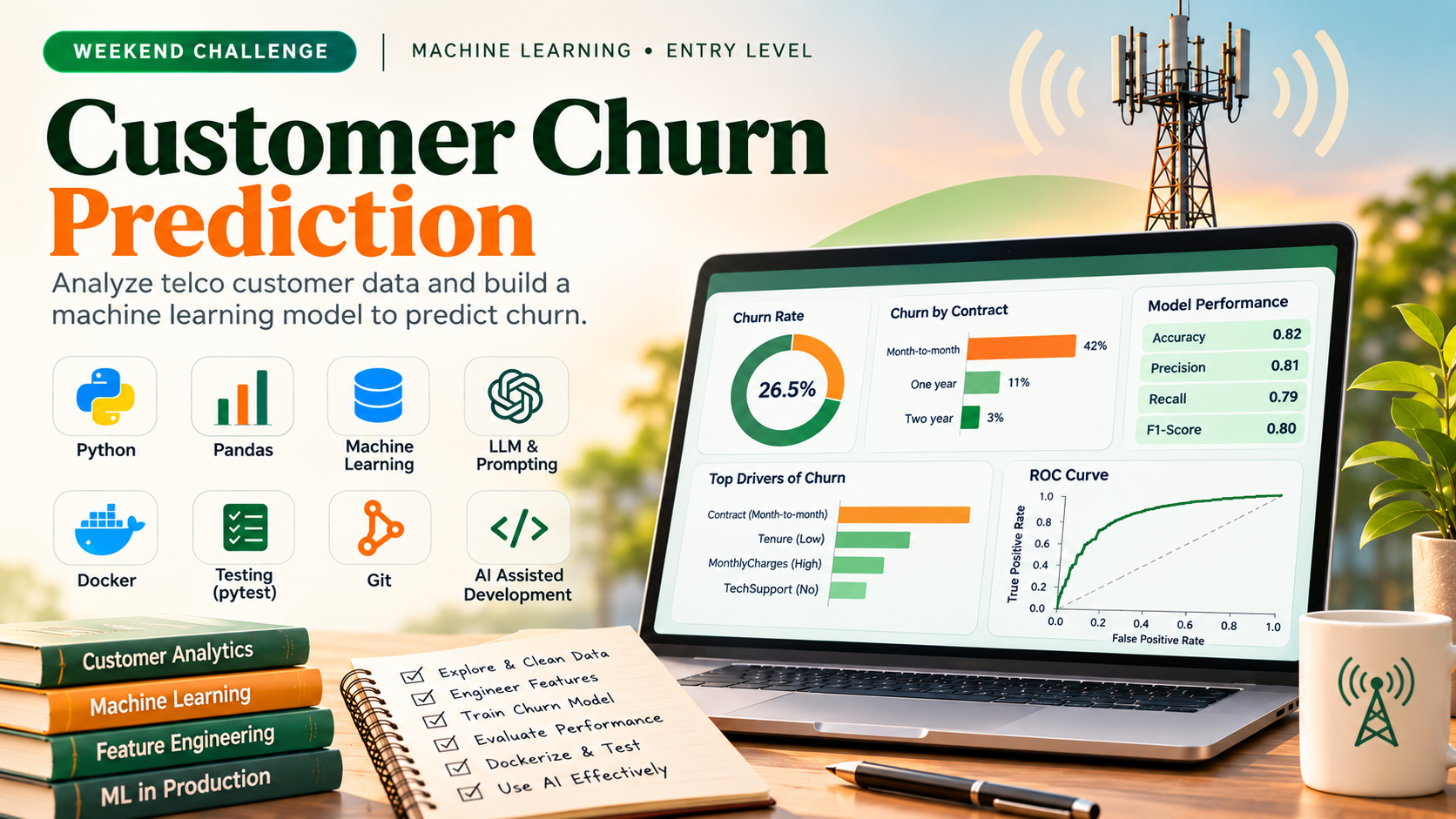
Build a machine learning pipeline in Python that predicts customer churn using the Telco Customer Churn dataset, with LLM-assisted feature engineering and model evaluation. Your solution will be evaluated through automated repository analysis and a mandatory in-app conversation to verify your understanding of the implementation.
AI Engineer
Solo only.
Share this challenge
The Challenge Brief
Problem definition
Input data (download): https://raw.githubusercontent.com/IBM/telco-customer-churn-on-icp4d/master/data/Telco-Customer-Churn.csv
The dataset contains customer records with columns including tenure, MonthlyCharges, Contract, InternetService, TechSupport, and Churn (target). You must build a supervised classification model that predicts whether a customer will churn based on their account and service attributes. The pipeline must handle categorical encoding, feature selection, model training, and evaluation metrics (accuracy, precision, recall, F1-score). Every line under Success criteria is in scope for this challenge. Build the core scope in Task brief. Topic coverage uses repository evidence where available and the comprehension conversation; it does not require a separate feature for every topic.
Task brief
Develop a Python 3 machine learning application that loads the Telco churn CSV, performs exploratory data analysis, engineers features with LLM assistance (e.g., prompting for feature interaction ideas), trains a scikit-learn classifier, and evaluates performance on a held-out test set. Document your prompts and reasoning in code comments. Use pytest to validate data loading and preprocessing steps. Containerize the solution with Docker. This challenge exercises Version Control, Programming Fundamentals, Python Programming, Debugging & Troubleshooting, AI Assisted Software Development, Machine Learning Fundamentals, LLM Fundamentals, Prompt Engineering, AI Application Development, and Containerization (Docker). Expected effort: 6-8 hours with AI assistance.
Version Control
Version Control is essential for managing the churn prediction pipeline code, test suite, and model artifacts throughout the one-day development cycle. You will initialize a Git repository, commit incremental changes as you build data validation, feature engineering, and model training modules, and use branches to isolate experimental work before merging into the main codebase. This ensures code traceability, enables rollback if a feature breaks the 75% accuracy target, and demonstrates professional collaboration practices expected in production AI teams.
Programming Fundamentals
Show understanding of Programming Fundamentals in this product.
Python Programming
Python Programming is essential for building the churn prediction pipeline. You will write modular, well-tested Python code to load the Telco dataset, preprocess categorical features, train a classification model, and evaluate it using scikit-learn. Your implementation must follow Python syntax conventions, use functions and classes to organize logic, manage dependencies in a virtual environment, and include pytest-based unit tests for data validation and model correctness.
Debugging & Troubleshooting
Debugging & Troubleshooting focuses on identifying and resolving errors in the churn prediction pipeline. As you build the model, you will use logging, breakpoints, and stack trace analysis to detect data validation failures, feature engineering bugs, and model training issues. Apply root cause analysis to fix problems systematically and ensure your unit tests catch regressions early.
Ai Assisted Software Development
AI-Assisted Software Development guides you to use LLM tools (ChatGPT, Copilot, Claude) to accelerate the churn prediction pipeline while maintaining code quality and understanding. You will write effective prompts, generate and validate model code, debug issues with AI guidance, refactor for clarity, create unit tests, and document decisions—demonstrating both practical AI collaboration and critical evaluation of AI output.
Machine Learning Fundamentals
Machine Learning Fundamentals covers the core techniques for building, training, and evaluating supervised classification models on the telco churn dataset. You will implement a complete pipeline that handles categorical encoding, trains a classifier, and validates performance using standard metrics (accuracy, precision, recall, F1-score) to meet the 75% accuracy threshold. This skill integrates feature engineering decisions, model selection, and diagnostic evaluation to prevent overfitting and underfitting in a production-ready proof-of-concept.
LLM Fundamentals
LLM Fundamentals equips you to understand how large language models process and represent data, which is essential for making informed decisions about feature engineering and model architecture in your churn prediction pipeline. You will apply tokenization, embeddings, and context window concepts to transform categorical customer attributes into numerical representations suitable for supervised learning. This skill bridges the gap between raw data and model-ready inputs, enabling you to explain your preprocessing choices to stakeholders.
Prompt Engineering
Prompt Engineering guides your feature engineering and model refinement decisions in the churn prediction pipeline. You will use structured prompts to elicit LLM guidance on categorical encoding strategies, feature selection rationale, and model evaluation interpretation. Document how prompt clarity, examples, and iterative refinement improved the quality of your engineering decisions and code comments.
AI Application Development
AI Application Development requires you to build a churn prediction pipeline that integrates LLM APIs and structured outputs to guide feature engineering decisions, while implementing function calling patterns to automate data validation and model evaluation. You will use LLM assistance to reason about feature selection and model performance, document your reasoning in code comments, and ensure the pipeline achieves 75% accuracy with unit tests covering data transformation and prediction logic.
Containerization (Docker)
Containerize the churn prediction pipeline using Docker to ensure reproducible model training and deployment across environments. Build a Dockerfile that packages the Python ML workflow, dependencies, and data validation tests, then verify the container runs the full pipeline and produces consistent predictions. This skill ensures the proof-of-concept model can be reliably executed in any environment without dependency conflicts.
Language and stack
Python 3, scikit-learn, pandas, pytest, Docker.
Scenario
You are an entry-level AI engineer at a telecom company. The product team needs a proof-of-concept churn prediction model to identify at-risk customers. You have one day to build and containerize a working pipeline. Your manager expects clean, tested code and a clear explanation of how you used LLM assistance to guide feature engineering decisions. The model must achieve at least 75% accuracy on the test set and include unit tests for data validation.
Deliverables
- Python module (main.py or pipeline.py) that loads the CSV, performs EDA, applies feature engineering (with documented LLM prompts), trains a classifier, and outputs evaluation metrics.
- pytest test file (test_pipeline.py) with at least 3 tests covering data loading, preprocessing, and model output shape.
- Dockerfile that builds an image to run the pipeline and tests.
Success criteria
These are repository evidence checks within the core scope, not additional feature requests. One implementation or test may provide evidence for several topics. Missing implementation evidence remains unverified; explanations alone do not demonstrate implementation proficiency.
Version Control
- Repository Setup (beginner): Git repository initialized in the learner repo root with a .gitignore file excluding pycache, .pytest_cache, *.pyc, and data artifacts; verify via git log or .git directory presence.
- Basic Commands (beginner): At least three commits present in the main branch with distinct, descriptive commit messages (e.g., one for data validation module, one for model training, one for test suite); verify via git log output.
- Commits (beginner): Each commit corresponds to a logical unit of work (e.g., data loader implementation, feature encoder, model evaluation); verify commit history shows incremental progress toward the churn model.
- Branching (beginner): At least one feature branch created and merged back into main (e.g., feature/feature-selection or bugfix/data-validation); verify via git branch history or merge commits.
- Merging (beginner): Feature branch merged into main without unresolved conflicts or manual intervention required; verify merge commit or fast-forward in git log.
- Conflict Resolution (intermediate): If merge conflicts occur during integration of parallel work (e.g., two branches modifying the same test file), conflicts are resolved correctly and the merged code runs without errors; verify via git log and test execution post-merge.
- Pull Requests (intermediate): If using a remote repository, at least one pull request created with a clear description of changes, linked to the churn model scope, and merged after review; assess only if remote repository is present in the learner workflow.
Programming Fundamentals
- Variables & Data Types (beginner): demonstrate Variables & Data Types for this product in the repository.
- Operators (beginner): demonstrate Operators for this product in the repository.
- Expressions (beginner): demonstrate Expressions for this product in the repository.
- Control Flow (beginner): demonstrate Control Flow for this product in the repository.
- Functions & Methods (beginner): demonstrate Functions & Methods for this product in the repository.
- Collections (intermediate): demonstrate Collections for this product in the repository.
- Exception Handling (intermediate): demonstrate Exception Handling for this product in the repository.
- File Handling (beginner): demonstrate File Handling for this product in the repository.
Python Programming
- Python Syntax (beginner): Repository contains valid Python 3 code with correct indentation, variable naming, and statement structure that executes without syntax errors.
- Functions (beginner): Code includes at least two reusable functions (e.g., load_data, preprocess_features, evaluate_model) with clear parameters and return values; functions are called consistently throughout the pipeline.
- Modules & Packages (beginner): Code imports and uses scikit-learn, pandas, and pytest; requirements.txt or setup.py lists all external dependencies.
- Virtual Environments (beginner): Repository includes evidence of virtual environment setup (e.g., venv folder, .python-version, or pip freeze output) and instructions for activation.
- Object-Oriented Python (intermediate): Pipeline includes at least one class (e.g., ChurnPredictor or DataProcessor) with init, at least one instance method, and correct use of self; class is instantiated and used in the main workflow.
- Data Structures (intermediate): inspect relevant code or tests within the core scope if present; do not add a feature solely for this topic. Missing implementation evidence remains unverified.
- Control Flow (intermediate): inspect relevant code or tests within the core scope if present; do not add a feature solely for this topic. Missing implementation evidence remains unverified.
- Functions and Classes (intermediate): inspect relevant code or tests within the core scope if present; do not add a feature solely for this topic. Missing implementation evidence remains unverified.
- Object Oriented Programming Basics (beginner): inspect relevant code or tests within the core scope if present; do not add a feature solely for this topic. Missing implementation evidence remains unverified.
- Error Handling (intermediate): Code includes try-except blocks or conditional checks for missing values, invalid data types, or model training failures; unit tests verify that validation functions reject malformed input.
Debugging & Troubleshooting
- Breakpoints (beginner): Repository contains evidence of debugger usage (e.g., pdb breakpoint() calls or IDE breakpoint markers in pipeline code) to inspect variable state during data loading or model training; assess only if present in submitted code.
- Debugging Techniques (beginner): Unit tests in test_*.py files demonstrate intentional error detection and correction; test cases cover at least one data validation failure scenario (e.g., missing values, type mismatch) with clear assertion messages.
- Logging (beginner): Python logging module configured in the pipeline with at least three distinct log levels (DEBUG, INFO, ERROR) capturing data pipeline stages, feature transformations, and model training checkpoints.
- Stack Traces (intermediate): When a test or pipeline execution fails, the learner repo contains evidence of interpreting the traceback to identify the source file, line number, and root cause; demonstrated via commit message or code comment explaining the fix.
- Root Cause Analysis (intermediate): At least one bug fix in the repo history (visible in commit log or code comments) shows systematic diagnosis: hypothesis about the failure, steps taken to isolate it, and the corrected code with explanation of why the original approach failed.
Ai Assisted Software Development
- Working with AI Assistants (beginner): Repository contains evidence of LLM-assisted code generation (e.g., comments or commit messages referencing AI tool use) in at least two distinct pipeline components (data loading, feature engineering, model training, or evaluation).
- Prompt Writing Fundamentals (beginner): At least one prompt artifact (e.g., in comments, a prompts.md file, or commit message) shows a clear, specific request that led to functional code; prompt must name the task and include relevant context.
- Code Generation (beginner): Generated code for model training or feature engineering is syntactically correct, runs without errors, and produces expected output (e.g., trained model object, encoded features, or evaluation metrics).
- AI-assisted Debugging (beginner): Repository shows evidence of identifying and fixing at least one bug with AI assistance (e.g., commit message or inline comment explaining the issue and how AI helped resolve it).
- AI-assisted Refactoring (intermediate): Refactored code segment (e.g., data pipeline or test suite) demonstrates improved readability, reduced duplication, or better structure; commit or comment explains the refactoring rationale and AI role.
- AI-assisted Unit Testing (intermediate): Unit tests for data validation (e.g., test_categorical_encoding, test_feature_selection) are present, pass, and show evidence of AI-assisted generation or improvement (e.g., comment or commit message).
- AI-assisted Documentation (beginner): Code includes docstrings or a README section explaining at least one key decision (feature selection, model choice, or hyperparameter tuning) and references AI assistance in reasoning.
- AI Output Validation (intermediate): Code or test comments show explicit validation of AI-generated output (e.g., assertion that model accuracy >= 75%, schema check on encoded features, or comparison of AI suggestion against manual baseline).
- AI Limitations & Hallucinations (beginner): At least one comment or commit message identifies a limitation or incorrect suggestion from the AI tool and explains how it was caught or corrected.
- Responsible AI Usage (beginner): Documentation or comments acknowledge the churn model's potential impact (e.g., fairness across customer segments, bias in training data) and note any mitigation considered.
Machine Learning Fundamentals
- Supervised Learning (intermediate): Repository contains a trained classification model (e.g., LogisticRegression, RandomForest, or GradientBoosting) that accepts encoded features and produces binary churn predictions; model achieves at least 75% accuracy on the held-out test set.
- Unsupervised Learning (beginner): If present in the repository, any clustering or dimensionality reduction code (e.g., PCA, KMeans) is noted; assessment applies only if implemented.
- Model Training (intermediate): Code demonstrates fit() on training data with explicit train-test split (e.g., sklearn.model_selection.train_test_split); hyperparameters are set or tuned (grid search, random search, or manual adjustment) and documented in comments or a config.
- Model Evaluation (intermediate): Test results include all four metrics (accuracy, precision, recall, F1-score) computed via sklearn.metrics or equivalent; results are logged or printed with clear labels.
- Overfitting & Underfitting (intermediate): Code includes at least one diagnostic check (e.g., train vs. test accuracy comparison, learning curve, cross-validation score) and a comment explaining the observed behavior and any regularization or adjustment applied.
- Feature Engineering (beginner): Categorical columns (Contract, InternetService, TechSupport) are encoded (OneHotEncoder, LabelEncoder, or equivalent) before model training; numeric features (tenure, MonthlyCharges) are present in the final feature matrix.
LLM Fundamentals
- Transformer Basics (beginner): If transformer-based architecture or attention mechanism is used in the model, verify correct implementation; otherwise assess only if present in the repository.
- Embeddings (beginner): If embedding layer or vectorization is present in the pipeline, verify that categorical or textual features are converted to numerical vectors; confirm the embedding dimension and that vectors are passed correctly to the model.
- Tokenization (beginner): Preprocessing code demonstrates correct handling of categorical features (Contract, InternetService, TechSupport) with explicit encoding or vectorization; unit tests validate that categorical values are consistently transformed before model training.
- Context Window (beginner): Batch processing or data loading code respects a defined maximum sequence or batch size; if not explicitly implemented, assess only if present in the codebase.
Prompt Engineering
- Prompt Structure (beginner): Repository contains at least one documented prompt (in code comments, docstring, or separate prompt file) used to query an LLM for feature engineering or model evaluation guidance; prompt includes a clear task description and context from the churn dataset.
- Zero-shot Prompting (beginner): Evidence that a zero-shot prompt (no examples, direct request) was used to obtain LLM guidance on one decision (e.g., categorical encoding approach or feature selection); result or reasoning is recorded in code or commit message.
- Few-shot Prompting (beginner): Evidence that a few-shot prompt (with 1-2 examples of feature transformations or model metrics) was used to refine LLM output; example and response are documented in code or comments.
- Prompt Iteration (beginner): Git history or code comments show at least two versions of a prompt with different phrasings or structures, demonstrating refinement based on LLM response quality or clarity.
- LLM Limitations (beginner): Code or test includes a fallback, validation, or manual override for at least one LLM suggestion (e.g., verifying categorical encoding produces expected output, or rejecting a feature selection that violates domain logic).
AI Application Development
- LLM APIs (intermediate): Repository contains Python code that calls an LLM API (e.g., OpenAI, Anthropic, or local model via API) to generate feature engineering recommendations or model evaluation insights; the call is logged with input prompt and response in a test or main script.
- Structured Outputs (intermediate): Code demonstrates parsing LLM responses into a defined Python dataclass or dict schema (e.g., FeatureRecommendation with fields name, importance_score, reasoning); validation confirms the response matches the schema before use.
- Function Calling (intermediate): Code implements at least one function that is called by an LLM (via function_calling or tool_use API feature) to validate data quality, compute evaluation metrics, or filter features; the function signature and return type are documented and the LLM response triggers the correct function.
- RAG Fundamentals (beginner): If vector database or retrieval is present: code loads training data or feature metadata into a retrieval system and uses LLM to query it for context; assess only if implemented, otherwise confirm in discussion that learner understands when RAG would apply.
- Vector Databases (beginner): If vector database is present: code embeds feature descriptions or sample data and stores them in a vector store (e.g., FAISS, Pinecone, or in-memory); assess only if implemented, otherwise confirm in discussion that learner understands vector indexing trade-offs.
Containerization (Docker)
- What is Containerization (beginner): Dockerfile present in repository root that encapsulates the churn prediction pipeline; container builds without errors and runs the training script to completion.
- Docker Architecture (beginner): Dockerfile uses a Python base image (e.g., python:3.9-slim) and follows layering best practices (dependencies before code); inspect image layers via docker history to confirm logical separation.
- Docker Images (beginner): docker build command in repository documentation or CI logs produces a named image; image is listed in docker images output after build.
- Docker Containers (beginner): Container runs via docker run with mounted volume for data and model output; container exits with status 0 after training completes.
- Dockerfile Basics (beginner): Dockerfile includes FROM, WORKDIR, COPY, RUN (for pip install), and CMD or ENTRYPOINT; all instructions are syntactically valid and build succeeds.
- Building Images (beginner): docker build -t churn-model . command executes successfully; resulting image size is reasonable (under 1 GB) and layers are cached appropriately on rebuild.
- Running Containers (beginner): docker run command in documentation or logs shows container executing the training pipeline; stdout logs include model accuracy and test metrics.
- Environment Variables (beginner): Dockerfile or docker run command uses ENV or -e flags to set DATA_PATH, MODEL_OUTPUT_PATH, or TEST_MODE; container respects these variables during execution.
- Docker Volumes (beginner): docker run includes -v flag to mount local data directory and model output directory; files written inside container are accessible on host after container exits.
- Docker Networks (beginner): If multiple containers are used (e.g., data service and model service), docker network create and --network flags are present in documentation or compose file; containers communicate successfully.
- Docker Compose (intermediate): docker-compose.yml file present defining services for the pipeline (e.g., training service, optional validation service); docker-compose up runs the full workflow without manual docker run commands.
- Container Debugging (intermediate): Repository includes evidence of debugging (e.g., docker logs output, docker exec commands, or layer inspection notes); learner demonstrates ability to inspect running or stopped container state and identify issues.
What to explain
AI assistance is allowed while building the submission. During the comprehension conversation, answer independently without AI tools, search, or outside help. Be ready to trace your actual code, explain decisions and limitations, and reason about a small change or failure case. Conceptual topics do not require a separate coded feature.
Version Control
- Repository Setup (beginner): Explain why .gitignore is necessary and what artifacts should be excluded from version control in a machine learning project.
- Basic Commands (beginner): Describe the purpose of git add, git commit, and git log; explain how commit messages help future developers understand code evolution.
- Commits (beginner): Walk through one commit in the learner repo and explain what problem it solves and why it was separated from other commits.
- Branching (beginner): Explain the workflow for creating a feature branch, making changes, and preparing it for merge; describe when branching is useful in a team setting.
- Merging (beginner): Describe the merge process and explain the difference between a fast-forward merge and a merge commit.
- Conflict Resolution (intermediate): If conflicts occurred, explain what caused them, how they were identified, and how the resolution preserved the correctness of both changes; if no conflicts occurred, describe a scenario where conflicts might arise in the churn pipeline and how you would resolve them.
- Pull Requests (intermediate): Explain the purpose of a pull request in code review; describe how the PR description and commit history help reviewers understand the changes and verify they meet the 75% accuracy and unit test requirements.
Programming Fundamentals
- Variables & Data Types: explain the concept, relevant constraints, and tradeoffs in this product with a concrete example.
- Operators: explain the concept, relevant constraints, and tradeoffs in this product with a concrete example.
- Expressions: explain the concept, relevant constraints, and tradeoffs in this product with a concrete example.
- Control Flow: explain the concept, relevant constraints, and tradeoffs in this product with a concrete example.
- Functions & Methods: explain the concept, relevant constraints, and tradeoffs in this product with a concrete example.
- Collections: explain the concept, relevant constraints, and tradeoffs in this product with a concrete example.
- Exception Handling: explain the concept, relevant constraints, and tradeoffs in this product with a concrete example.
- File Handling: explain the concept, relevant constraints, and tradeoffs in this product with a concrete example.
Python Programming
- Python Syntax (beginner): Explain how you chose variable names and structured your code for readability; identify one syntax rule you applied (e.g., PEP 8 naming convention).
- Functions (beginner): Describe the purpose of two functions you wrote; explain why separating data loading from preprocessing improves code maintainability.
- Modules & Packages (beginner): List the external packages you imported and justify why each is necessary for the churn pipeline (e.g., pandas for CSV loading, scikit-learn for model training).
- Virtual Environments (beginner): Explain how you created and activated your virtual environment; describe what would happen if you ran the pipeline without one.
- Object-Oriented Python (intermediate): Walk through your class definition; explain what state (attributes) your class holds and how at least one method uses that state to perform a task.
- Data Structures (intermediate): Identify the data structures (lists, dictionaries, DataFrames) used to store the dataset and intermediate results; explain why you chose each one.
- Control Flow (intermediate): Trace through your code logic for handling a customer record with missing TechSupport value; explain which conditional or loop statement executes and why.
- Functions and Classes (intermediate): Compare a function-based approach to a class-based approach for your feature encoder; explain the trade-off in terms of code reuse and state management.
- Object Oriented Programming Basics (beginner): Define what an instance is in your ChurnPredictor class; show how two instances could hold different model parameters.
- Error Handling (intermediate): Describe a validation error your code catches (e.g., non-numeric tenure); explain how your exception handler prevents the pipeline from crashing and what information it logs.
Debugging & Troubleshooting
- Breakpoints (beginner): Explain when and why you would set a breakpoint in the data loading phase versus the model training phase; describe what variable state you would inspect to verify correct feature encoding.
- Debugging Techniques (beginner): Describe how your unit tests catch a specific type of error in the pipeline (e.g., categorical encoding failure or missing value handling) and how the test failure message guides you to the bug.
- Logging (beginner): Walk through one log output from your pipeline and explain what each log message tells you about the pipeline state; identify which log level you would use to track a performance bottleneck.
- Stack Traces (intermediate): Show a stack trace from a failed test or pipeline run; identify the immediate error, the calling function, and the root cause line; explain how you traced backward through the stack to find where the actual problem originated.
- Root Cause Analysis (intermediate): Describe a bug you encountered (e.g., incorrect feature scaling, wrong train-test split, or data leakage); explain your hypothesis, how you tested it, and what the actual root cause was; reflect on what you would check first next time.
Ai Assisted Software Development
- Working with AI Assistants (beginner): Explain which LLM tool you used, what tasks you delegated to it, and why those tasks were suitable for AI assistance versus manual coding.
- Prompt Writing Fundamentals (beginner): Describe one prompt you wrote: what problem you posed, what context you provided, and how the AI response compared to what you expected.
- Code Generation (beginner): Walk through one AI-generated code block; identify what it does correctly and what you had to adjust or verify before using it.
- AI-assisted Debugging (beginner): Describe a bug you encountered, how you asked the AI for help, and whether the AI suggestion was accurate or required refinement.
- AI-assisted Refactoring (intermediate): Explain the refactored code: what was improved (clarity, performance, maintainability), how the AI suggestion aligned with best practices, and what you changed or rejected.
- AI-assisted Unit Testing (intermediate): Discuss one test case the AI generated: does it cover the intended scenario, are assertions appropriate, and did you add or modify any checks?
- AI-assisted Documentation (beginner): Explain one design decision (e.g., why you chose logistic regression or how you handled missing values) and how AI assistance shaped your reasoning or explanation.
- AI Output Validation (intermediate): Describe how you verified that AI-generated code meets the 75% accuracy requirement and handles edge cases (e.g., empty features, unseen categories); what checks did you add?
- AI Limitations & Hallucinations (beginner): Give an example of an AI suggestion that was incorrect, incomplete, or misleading; how did you detect it and what did you do instead?
- Responsible AI Usage (beginner): Discuss one ethical consideration for a churn prediction model (e.g., disparate impact on customer groups, data privacy, model transparency) and how your implementation or documentation addresses it.
Machine Learning Fundamentals
- Supervised Learning (intermediate): Explain why you chose your classification algorithm (e.g., logistic regression for interpretability, random forest for non-linearity) and how the target variable (Churn) is binary; discuss the trade-off between model complexity and interpretability for this use case.
- Unsupervised Learning (beginner): If clustering or dimensionality reduction is present, explain its purpose in the pipeline (e.g., exploratory analysis, preprocessing); if absent, briefly describe when unsupervised methods might complement supervised churn prediction.
- Model Training (intermediate): Walk through your train-test split ratio and justify it; describe how you set or tuned at least one hyperparameter and what metric guided your choice.
- Model Evaluation (intermediate): Interpret the four metrics in the context of churn prediction; explain which metric matters most (e.g., recall to catch at-risk customers) and why the others are also relevant.
- Overfitting & Underfitting (intermediate): Analyze your train vs. test accuracy or cross-validation results; identify whether your model shows signs of overfitting or underfitting and describe the regularization or adjustment you applied (or would apply).
- Feature Engineering (beginner): Justify your encoding choice for categorical features; explain why you included or excluded specific columns (e.g., tenure and MonthlyCharges as predictive signals).
LLM Fundamentals
- Transformer Basics (beginner): Explain the role of attention mechanisms in sequence modeling and reason about whether transformer architecture is necessary for tabular customer data or whether simpler models (logistic regression, random forest) are more appropriate for this churn prediction task.
- Embeddings (beginner): Describe the relationship between embedding dimension, feature cardinality, and model input shape; reason about whether dense embeddings or sparse vectors are appropriate for this tabular churn dataset.
- Tokenization (beginner): Explain how categorical encoding (one-hot, label encoding, or vectorization) converts contract types and service attributes into a format the model can process, and why consistent transformation is critical for reproducibility.
- Context Window (beginner): Discuss why batch size and sequence length matter in data pipelines; if batch processing is implemented, trace how a sample batch flows through the pipeline and explain any size constraints.
Prompt Engineering
- Prompt Structure (beginner): Explain how you structured one prompt to the LLM: what context you provided (dataset columns, target metric), what task you asked for, and why that structure helped you get a useful response.
- Zero-shot Prompting (beginner): Describe a zero-shot prompt you used and what the LLM returned; explain whether the response was directly usable or required modification, and why.
- Few-shot Prompting (beginner): Show or describe a few-shot prompt you constructed; explain how the examples you provided shaped the LLM output compared to a zero-shot attempt.
- Prompt Iteration (beginner): Walk through one prompt you refined; explain what was unclear or unhelpful in the first version, how you changed the wording or structure, and whether the second version produced better guidance.
- LLM Limitations (beginner): Identify one limitation you encountered when using LLM guidance (e.g., hallucinated feature names, incorrect metric interpretation, or domain-specific error); explain how you detected it and what you did to correct or validate the output.
AI Application Development
- LLM APIs (intermediate): Explain why you chose your LLM provider and how you structured the prompt to get actionable feature engineering advice; describe one limitation of relying on LLM output for model decisions and how you mitigated it.
- Structured Outputs (intermediate): Walk through your schema design for LLM responses; explain how validation prevents downstream errors in feature selection or model training.
- Function Calling (intermediate): Describe the function signature you exposed to the LLM, why you chose that function for automation, and how you verified the LLM called it correctly; what would happen if the LLM called the wrong function?
- RAG Fundamentals (beginner): Explain when you would use retrieval-augmented generation in a churn prediction workflow; what data would you retrieve and why?
- Vector Databases (beginner): Describe how you would embed feature metadata or customer records for similarity search; what distance metric would you use and why?
Containerization (Docker)
- What is Containerization (beginner): Explain why containerization solves the dependency and environment consistency problem for the churn model; contrast with running the pipeline directly on the host machine.
- Docker Architecture (beginner): Describe the role of the Docker daemon, image registry, and container runtime in the build and run workflow; explain how images are immutable and containers are ephemeral instances.
- Docker Images (beginner): Explain the difference between a Dockerfile (recipe) and an image (built artifact); describe what layers are and why they matter for build caching and image size.
- Docker Containers (beginner): Explain the lifecycle of a container from creation to exit; describe how stdin, stdout, and stderr are handled when running the training pipeline in a container.
- Dockerfile Basics (beginner): Explain the purpose of FROM, WORKDIR, COPY, RUN, and CMD instructions; justify the order of instructions in the learner repo Dockerfile (e.g., why dependencies are installed before code is copied).
- Building Images (beginner): Explain how docker build reads the Dockerfile and constructs layers; describe what happens when an intermediate layer is cached and when it is rebuilt.
- Running Containers (beginner): Explain how docker run creates and starts a container from an image; describe the relationship between the container process and the host process tree.
- Environment Variables (beginner): Explain how ENV in Dockerfile differs from -e in docker run; describe how the training script accesses these variables and why they are useful for configuration.
- Docker Volumes (beginner): Explain the difference between COPY in Dockerfile (baked into image) and -v volume mounts (runtime binding); describe why volumes are necessary for the churn model to read input data and write output.
- Docker Networks (beginner): Explain the purpose of Docker networks and how containers discover each other by service name; describe when a custom network is needed versus the default bridge network.
- Docker Compose (intermediate): Explain how docker-compose.yml simplifies multi-container workflows; describe the relationship between services, networks, and volumes in the compose file and how they map to docker run flags.
- Container Debugging (intermediate): Describe techniques for inspecting a running or stopped container (docker logs, docker exec, docker inspect); explain how to identify and resolve common issues such as missing dependencies, incorrect volume mounts, or environment variable misconfigurations.
How to submit
- Before you start, register on the SahkaarX platform and connect your GitHub account.
- When the challenge begins, SahkaarX creates a private repository under your GitHub account and notifies you in the app and via push notification.
- Clone the repository, implement your solution (main.py, test_pipeline.py, Dockerfile, and a README explaining your LLM prompts and feature choices), commit your work, and push to the private repo.
- Submit your solution in the app using the system-created repository link; do not create your own GitHub repository.
What happens after you submit
When the challenge window closes, an automated AI-powered repository review analyzes your code for correctness, test coverage, and Docker configuration. You will then complete a mandatory in-app conversation where you explain your feature engineering decisions, the LLM prompts you used, how you debugged issues, and your model evaluation results. This conversation verifies your understanding of your own work and is required for all participants. If human judges are assigned, they review your repository score and conversation transcript before final results are published; otherwise results finalize automatically after the conversation.
Intellectual property
You retain full ownership of the code and documentation in your submission. SahkaarX may host, evaluate, display on leaderboards, and operate the challenge using your work. Your GitHub repository remains private under your account; you control access and can reuse the code for your portfolio or future projects after the challenge ends.
Skills You’ll Put to Work
Version Control
- Repository SetupBeginnerFundamental
- Basic CommandsBeginnerFundamental
- CommitsBeginnerFundamental
- BranchingBeginnerFundamental
- MergingBeginnerFundamental
- Conflict ResolutionIntermediateFundamental
- Pull RequestsIntermediateFundamental
Programming Fundamentals
- Variables & Data TypesBeginnerFundamental
- OperatorsBeginnerFundamental
- ExpressionsBeginnerFundamental
- Control FlowBeginnerFundamental
- Functions & MethodsBeginnerFundamental
- CollectionsIntermediateFundamental
- Exception HandlingIntermediateFundamental
- File HandlingBeginnerFundamental
Python Programming
- Python SyntaxBeginnerFundamental
- FunctionsBeginnerFundamental
- Modules & PackagesBeginnerFundamental
- Virtual EnvironmentsBeginnerFundamental
- Object-Oriented PythonIntermediateFundamental
- Data StructuresIntermediateFundamental
- Control FlowIntermediateFundamental
- Functions and ClassesIntermediateFundamental
- Object Oriented Programming BasicsBeginnerFundamental
- Error HandlingIntermediateFundamental
Debugging & Troubleshooting
- BreakpointsBeginnerFundamental
- Debugging TechniquesBeginnerFundamental
- LoggingBeginnerFundamental
- Stack TracesIntermediateFundamental
- Root Cause AnalysisIntermediateFundamental
Ai Assisted Software Development
- Working with AI AssistantsBeginnerFundamental
- Prompt Writing FundamentalsBeginnerFundamental
- Code GenerationBeginnerFundamental
- AI-assisted DebuggingBeginnerFundamental
- AI-assisted RefactoringIntermediateFundamental
- AI-assisted Unit TestingIntermediateFundamental
- AI-assisted DocumentationBeginnerFundamental
- AI Output ValidationIntermediateFundamental
- AI Limitations & HallucinationsBeginnerFundamental
- Responsible AI UsageBeginnerFundamental
Machine Learning Fundamentals
- Supervised LearningIntermediateFundamental
- Unsupervised LearningBeginnerFundamental
- Model TrainingIntermediateFundamental
- Model EvaluationIntermediateFundamental
- Overfitting & UnderfittingIntermediateFundamental
- Feature EngineeringBeginnerFundamental
LLM Fundamentals
- Transformer BasicsBeginnerFundamental
- EmbeddingsBeginnerFundamental
- TokenizationBeginnerFundamental
- Context WindowBeginnerFundamental
Prompt Engineering
- Prompt StructureBeginnerFundamental
- Zero-shot PromptingBeginnerFundamental
- Few-shot PromptingBeginnerFundamental
- Prompt IterationBeginnerFundamental
- LLM LimitationsBeginnerFundamental
AI Application Development
- LLM APIsIntermediateFundamental
- Structured OutputsIntermediateFundamental
- Function CallingIntermediateFundamental
- RAG FundamentalsBeginnerFundamental
- Vector DatabasesBeginnerFundamental
Containerization (Docker)
- What is ContainerizationBeginnerFundamental
- Docker ArchitectureBeginnerFundamental
- Docker ImagesBeginnerFundamental
- Docker ContainersBeginnerFundamental
- Dockerfile BasicsBeginnerFundamental
- Building ImagesBeginnerFundamental
- Running ContainersBeginnerFundamental
- Environment VariablesBeginnerFundamental
- Docker VolumesBeginnerFundamental
- Docker NetworksBeginnerFundamental
- Docker ComposeIntermediateFundamental
- Container DebuggingIntermediateFundamental
Before You Register
- Prerequisites: review the target audience, skills covered, and challenge brief.
- Deadlines: check the key dates and complete required submissions before the challenge deadline.
- Participation: Solo only.
- Evaluation: review the brief and FAQs for scoring criteria and how your work will be assessed.
- AI assistance: check this challenge's rules before using AI tools. If the rules are unclear, ask support before submitting.
Questions? Contact SahkaarX support.
Intellectual property: participants retain
Frequently Asked Questions
Who can join this challenge?
Entry-level AI engineers and data scientists with basic Python and machine learning knowledge. Solo participation only; teams are not allowed.
Do I need to create my own GitHub repository?
No. SahkaarX creates a private repository for you when the challenge starts. Clone that repo, implement your solution, and push your commits there. Do not create a separate repository.
When does evaluation happen?
Automated repository review runs after the challenge window closes, not immediately after you submit. You will then participate in a mandatory in-app conversation to explain your work and verify your understanding.
What is the mandatory in-app conversation?
After your code is reviewed, you will have a conversation in the app where you discuss your feature engineering approach, the LLM prompts you used, debugging steps, and model results. This verifies you understand your own implementation and is required for all participants.
Skill feedback helps you decide what to practise next. Learning plans follow eligible evaluated results; additional plans are paid. No job guarantee.