
Archived
Build a Simple Inventory System - Week of 05 Oct 2026
This challenge has ended. You can still review the details below.
Explore the latest challenge for this roleCreate a basic inventory management system using any allow-listed language. You may use any language from the allow-list and must detail how to run your application in the README.
Software Engineer
Solo only.
Share this challenge
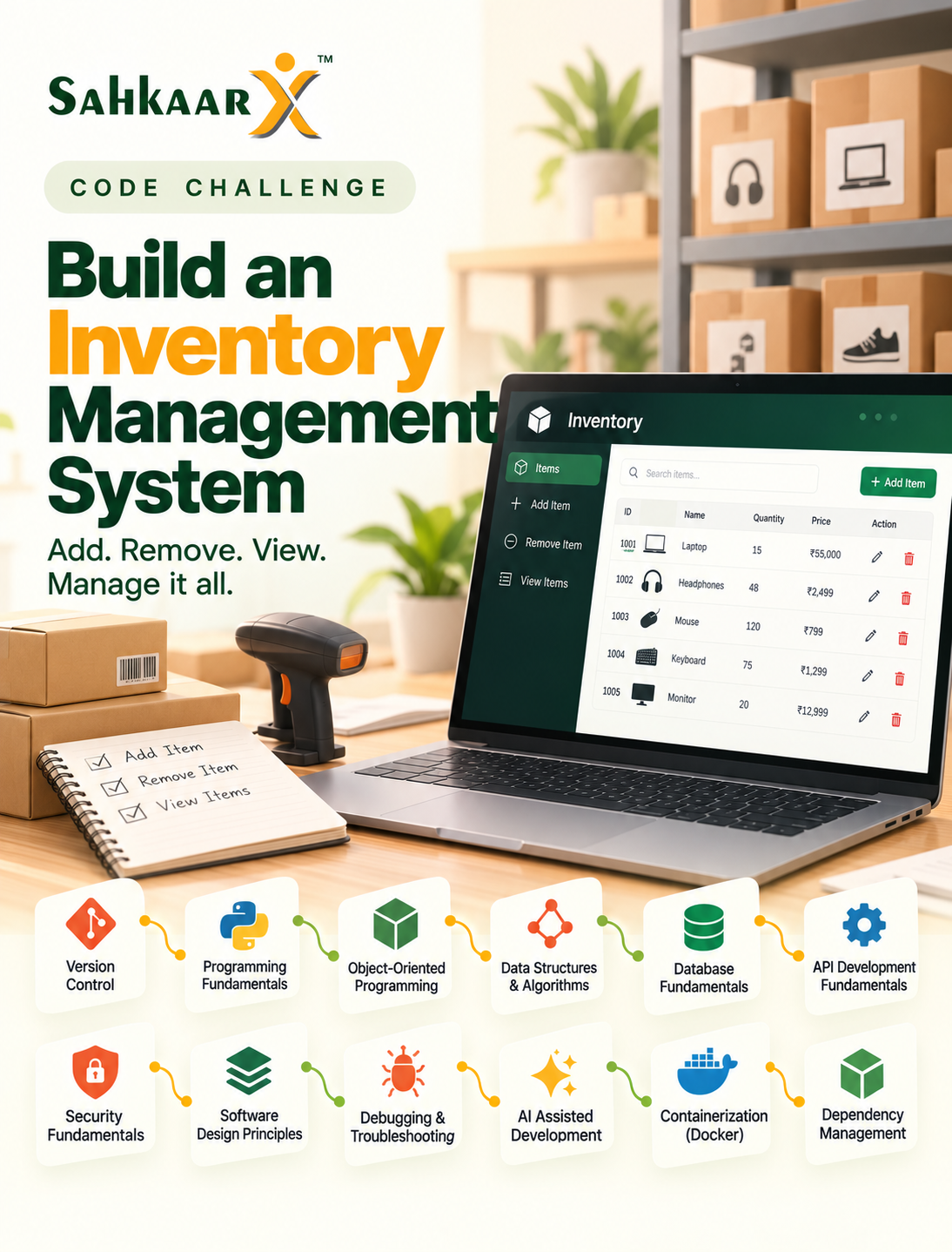
The Challenge Brief
Problem definition
Develop a simple inventory management system that allows users to add, remove, and view items. Input data (download): https://example.com/inventory.csv (columns such as itemId, name, quantity, price). Every line under Success criteria is in scope for this challenge.
Task brief
This challenge requires skills in Version Control, Programming Fundamentals, Object-oriented Programming, Data Structures & Algorithms, Database Fundamentals, API Development Fundamentals, Security Fundamentals, Software Design Principles, Debugging & Troubleshooting, Ai Assisted Software Development, Containerization (Docker), and Package & Dependency Management.
Version Control
Master Version Control to ensure the inventory management system is well-organized and collaborative.
Programming Fundamentals
Programming Fundamentals skill adds the ability to create a simple inventory management system that allows users to add, remove, and view items.
Object-oriented Programming
Implement object-oriented programming principles to create a robust inventory management system.
Data Structures & Algorithms
Implement data structures and algorithms to manage inventory items efficiently.
Database Fundamentals
Implement a robust inventory management system using relational databases to manage items efficiently.
API Development Fundamentals
Master API Development Fundamentals to create a robust inventory management system.
Security Fundamentals
Implement Security Fundamentals to ensure the inventory management system is secure.
Software Design Principles
Implement software design principles to ensure the inventory management system is maintainable and scalable.
Debugging & Troubleshooting
Debugging & Troubleshooting skill enables you to identify and resolve issues in the inventory management system.
Ai Assisted Software Development
Utilize AI-assisted software development to enhance the inventory management system by automating repetitive coding tasks and improving code quality.
Containerization (Docker)
Implement the inventory management system using containerization to ensure consistent and isolated environments for deployment.
Package & Dependency Management
Master Package & Dependency Management to ensure the inventory management system is robust and maintainable.
Language and stack
Allowed languages: Python, JavaScript/TypeScript, Java, C#, Go. Your README must specify the chosen language and how to run the application.
Scenario
You are a software engineer tasked with building an inventory management system for a small retail business. The system should allow users to add, remove, and view items in the inventory.
Deliverables
- A functional inventory management system
- A README file detailing how to run the application
- A brief description of the design choices made
Success criteria
Version Control
- Repository Setup (beginner): The learner has initialized a version control repository for the inventory management system.
- Basic Commands (beginner): The learner can perform basic version control commands such as cloning, pulling, and pushing.
- Commits (beginner): The learner has made at least one commit to the repository with a meaningful commit message.
- Branching (beginner): The learner has created at least one branch for feature development or bug fixing.
- Merging (beginner): The learner has merged a branch back into the main branch successfully.
- Conflict Resolution (intermediate): The learner has resolved at least one merge conflict in the repository.
- Pull Requests (intermediate): The learner has created at least one pull request and reviewed another pull request in the repository.
Programming Fundamentals
- Variables & Data Types (beginner): Use variables to store and manipulate inventory data.
- Operators (beginner): Implement basic arithmetic operations for inventory calculations.
- Expressions (beginner): Create expressions to evaluate inventory conditions.
- Control Flow (beginner): Use conditional statements to manage inventory operations.
- Functions & Methods (beginner): Define functions for adding, removing, and viewing inventory items.
- Collections (intermediate): Utilize collections to store and manage inventory data.
- Exception Handling (intermediate): Implement exception handling to manage errors in inventory operations.
- File Handling (beginner): Read and write inventory data from/to a file.
Object-oriented Programming
- Classes & Objects (beginner): Define classes for inventory items with attributes such as itemId, name, quantity, and price.
- Constructors (beginner): Implement constructors for the inventory item classes to initialize these attributes.
- Encapsulation (beginner): Ensure that the item attributes are private and provide public getter and setter methods.
- Inheritance (intermediate): Create a base class for inventory items and derive specialized classes for different types of items.
- Polymorphism (intermediate): Implement methods that can handle different types of inventory items polymorphically.
- Abstraction (intermediate): Define abstract methods in the base class that must be implemented by derived classes.
- Interfaces (intermediate): Define interfaces for inventory operations and ensure that the classes implement these interfaces.
- Composition (intermediate): Use composition to include inventory management functionalities within the inventory item classes.
Data Structures & Algorithms
- Arrays (beginner): Use arrays to store inventory items.
- Lists (beginner): Implement lists for managing inventory items.
- Stacks (beginner): Use stacks for managing inventory item additions and removals.
- Queues (beginner): Use queues for managing inventory item retrievals.
- Hash Tables (intermediate): Use hash tables for efficient item lookups.
- Sorting (intermediate): Implement sorting algorithms to organize inventory items.
- Searching (intermediate): Implement searching algorithms to find inventory items.
- Time Complexity (intermediate): Ensure algorithms have appropriate time complexity for inventory operations.
Database Fundamentals
- Relational Databases (beginner): The system uses a relational database to store inventory data.
- SQL Basics (beginner): The system uses SQL queries to interact with the database.
- CRUD Operations (beginner): The system provides functionality to create, read, update, and delete inventory items.
- Joins (intermediate): The system uses SQL joins to combine data from multiple tables.
- Indexes (intermediate): The system uses indexes to improve query performance.
- Transactions (intermediate): The system ensures data integrity by using transactions for multiple operations.
API Development Fundamentals
- HTTP Basics (beginner): The system correctly handles HTTP requests and responses.
- REST Principles (beginner): The API follows RESTful design principles.
- CRUD APIs (beginner): The system provides endpoints to create, read, update, and delete inventory items.
- Request & Response (beginner): The API correctly formats requests and responses.
- Status Codes (beginner): The API returns appropriate HTTP status codes for different operations.
- JSON (beginner): The API uses JSON for data interchange.
- API Validation (intermediate): The API validates input data and returns meaningful error messages.
Security Fundamentals
- Authentication (beginner): Ensure that only authenticated users can access the inventory management system.
- Authorization (beginner): Verify that users can only perform actions on their own inventory items.
- Input Validation (beginner): Confirm that the system rejects invalid input data such as negative quantities.
- Password Security (beginner): Ensure that passwords are stored securely, using hashing and salting.
Software Design Principles
- Separation of Concerns (beginner): The system has distinct modules for data access, business logic, and user interface.
- DRY (beginner): Common functionality is centralized in a single place to avoid repetition.
- KISS (beginner): The system is designed to be simple and easy to understand.
- SOLID Principles (intermediate): The system adheres to the SOLID principles, ensuring code is maintainable and scalable.
- Dependency Injection (intermediate): The system uses dependency injection to manage dependencies between components.
Debugging & Troubleshooting
- Breakpoints (beginner): The learner sets breakpoints in the code to pause execution at specific lines.
- Debugging Techniques (beginner): The learner uses debugging tools to step through code and inspect variables.
- Logging (beginner): The learner adds logging statements to track the flow of the program and capture variable states.
- Stack Traces (intermediate): The learner interprets stack traces to identify where errors occur in the code.
- Root Cause Analysis (intermediate): The learner determines the underlying cause of a bug and provides a solution.
Ai Assisted Software Development
- Working with AI Assistants (beginner): The learner demonstrates the use of an AI assistant to automate simple coding tasks.
- Prompt Writing Fundamentals (beginner): The learner writes clear and concise prompts for the AI assistant to generate code.
- Code Generation (beginner): The learner successfully generates a minimal working code snippet using AI assistance.
- AI-assisted Debugging (beginner): The learner uses AI to identify and fix basic bugs in the code.
- AI-assisted Refactoring (intermediate): The learner refactors code with the help of AI to improve readability and maintainability.
- AI-assisted Unit Testing (intermediate): The learner creates unit tests with AI assistance to ensure the inventory management system functions correctly.
- AI-assisted Documentation (beginner): The learner generates documentation for the code using AI, ensuring it is clear and understandable.
- AI Output Validation (intermediate): The learner validates the AI-generated code and documentation for accuracy and relevance.
- AI Limitations & Hallucinations (beginner): The learner acknowledges and mitigates potential AI limitations and hallucinations in the development process.
- Responsible AI Usage (beginner): The learner demonstrates responsible use of AI by ensuring the generated code adheres to ethical standards and best practices.
Containerization (Docker)
- What is Containerization (beginner): Demonstrate understanding of containerization by explaining how it benefits the inventory management system.
- Docker Architecture (beginner): Describe the basic components of Docker architecture relevant to the system.
- Docker Images (beginner): Create a Docker image for the inventory management system.
- Docker Containers (beginner): Run a container from the created Docker image.
- Dockerfile Basics (beginner): Include a Dockerfile in the repository that builds the inventory management system.
- Building Images (beginner): Successfully build a Docker image from the Dockerfile.
- Running Containers (beginner): Demonstrate running the inventory management system in a Docker container.
- Environment Variables (beginner): Use environment variables to configure the inventory management system.
- Docker Volumes (beginner): Use Docker volumes to persist inventory data outside of the container.
- Docker Networks (beginner): Set up Docker networks to allow communication between the inventory management system and other services.
- Docker Compose (intermediate): Use Docker Compose to define and run multi-container Docker applications.
- Container Debugging (intermediate): Demonstrate debugging techniques for issues within the Docker containers.
Package & Dependency Management
- Package Managers Overview (beginner): Demonstrate understanding of package managers by including a package.json or requirements.txt file.
- Semantic Versioning (beginner): Use semantic versioning for all dependencies.
- Version Constraints (intermediate): Specify version constraints in the package manifest to ensure compatibility.
- Installing Dependencies (beginner): Show a command to install all dependencies for the project.
- Dependency Lock Files (intermediate): Include a lock file (package-lock.json, yarn.lock, or requirements.lock) to manage exact dependency versions.
- Updating Dependencies (intermediate): Demonstrate updating dependencies and verifying the lock file is updated accordingly.
- Transitive Dependencies (intermediate): Explain how transitive dependencies are managed and listed in the lock file.
- Private Package Repositories (beginner): Configure access to a private package repository if used.
- Publishing Packages (beginner): Show how to publish a package to a public or private repository.
- Dependency Security & Vulnerability Scanning (intermediate): Use a tool to scan dependencies for vulnerabilities and ensure they are up to date.
- License Management (beginner): Include license information for all dependencies.
- Dependency Best Practices (intermediate): Follow best practices for dependency management, such as avoiding unnecessary dependencies and keeping them updated.
How to submit
- Before starting, register and connect your GitHub account.
- When the challenge starts, SahkaarX will create a private repository for you and notify you in the app and by push.
- Clone the repository, implement your solution, and push your changes.
- Submit your solution in the app using the system-created repository.
What happens after you submit
After you submit, an AI review of your repository will run when the challenge window closes. You must then complete a mandatory in-app conversation about your submission to verify your understanding of your work. If human judges exist, they will review the repository scores and the conversation transcript before final results; otherwise, results will finalize automatically after the conversation.
Intellectual property
Participants own the intellectual property in their submission. SahkaarX may host, evaluate, display on leaderboards, and otherwise operate the challenge. The GitHub repository is a private repository under the participant or team leader account.
Skills You’ll Put to Work
Version Control
- Repository SetupBeginnerFundamental
- Basic CommandsBeginnerFundamental
- CommitsBeginnerFundamental
- BranchingBeginnerFundamental
- MergingBeginnerFundamental
- Conflict ResolutionIntermediateFundamental
- Pull RequestsIntermediateFundamental
Programming Fundamentals
- Variables & Data TypesBeginnerFundamental
- OperatorsBeginnerFundamental
- ExpressionsBeginnerFundamental
- Control FlowBeginnerFundamental
- Functions & MethodsBeginnerFundamental
- CollectionsIntermediateFundamental
- Exception HandlingIntermediateFundamental
- File HandlingBeginnerFundamental
Object-oriented Programming
- Classes & ObjectsBeginnerFundamental
- ConstructorsBeginnerFundamental
- EncapsulationBeginnerFundamental
- InheritanceIntermediateFundamental
- PolymorphismIntermediateFundamental
- AbstractionIntermediateFundamental
- InterfacesIntermediateFundamental
- CompositionIntermediateFundamental
Data Structures & Algorithms
- ArraysBeginnerFundamental
- ListsBeginnerFundamental
- StacksBeginnerFundamental
- QueuesBeginnerFundamental
- Hash TablesIntermediateFundamental
- SortingIntermediateFundamental
- SearchingIntermediateFundamental
- Time ComplexityIntermediateFundamental
Database Fundamentals
- Relational DatabasesBeginnerFundamental
- SQL BasicsBeginnerFundamental
- CRUD OperationsBeginnerFundamental
- JoinsIntermediateFundamental
- IndexesIntermediateFundamental
- TransactionsIntermediateFundamental
API Development Fundamentals
- HTTP BasicsBeginnerFundamental
- REST PrinciplesBeginnerFundamental
- CRUD APIsBeginnerFundamental
- Request & ResponseBeginnerFundamental
- Status CodesBeginnerFundamental
- JSONBeginnerFundamental
- API ValidationIntermediateFundamental
Security Fundamentals
- AuthenticationBeginnerFundamental
- AuthorizationBeginnerFundamental
- Input ValidationBeginnerFundamental
- Password SecurityBeginnerFundamental
Software Design Principles
- Separation of ConcernsBeginnerFundamental
- DRYBeginnerFundamental
- KISSBeginnerFundamental
- SOLID PrinciplesIntermediateFundamental
- Dependency InjectionIntermediateFundamental
Debugging & Troubleshooting
- BreakpointsBeginnerFundamental
- Debugging TechniquesBeginnerFundamental
- LoggingBeginnerFundamental
- Stack TracesIntermediateFundamental
- Root Cause AnalysisIntermediateFundamental
Ai Assisted Software Development
- Working with AI AssistantsBeginnerFundamental
- Prompt Writing FundamentalsBeginnerFundamental
- Code GenerationBeginnerFundamental
- AI-assisted DebuggingBeginnerFundamental
- AI-assisted RefactoringIntermediateFundamental
- AI-assisted Unit TestingIntermediateFundamental
- AI-assisted DocumentationBeginnerFundamental
- AI Output ValidationIntermediateFundamental
- AI Limitations & HallucinationsBeginnerFundamental
- Responsible AI UsageBeginnerFundamental
Containerization (Docker)
- What is ContainerizationBeginnerFundamental
- Docker ArchitectureBeginnerFundamental
- Docker ImagesBeginnerFundamental
- Docker ContainersBeginnerFundamental
- Dockerfile BasicsBeginnerFundamental
- Building ImagesBeginnerFundamental
- Running ContainersBeginnerFundamental
- Environment VariablesBeginnerFundamental
- Docker VolumesBeginnerFundamental
- Docker NetworksBeginnerFundamental
- Docker ComposeIntermediateFundamental
- Container DebuggingIntermediateFundamental
Package & Dependency Management
- Package Managers OverviewBeginnerFundamental
- Semantic VersioningBeginnerFundamental
- Version ConstraintsIntermediateFundamental
- Installing DependenciesBeginnerFundamental
- Dependency Lock FilesIntermediateFundamental
- Updating DependenciesIntermediateFundamental
- Transitive DependenciesIntermediateFundamental
- Private Package RepositoriesBeginnerFundamental
- Publishing PackagesBeginnerFundamental
- Dependency Security & Vulnerability ScanningIntermediateFundamental
- License ManagementBeginnerFundamental
- Dependency Best PracticesIntermediateFundamental
Before You Register
- Prerequisites: review the target audience, skills covered, and challenge brief.
- Deadlines: check the key dates and complete required submissions before the challenge deadline.
- Participation: Solo only.
- Evaluation: review the brief and FAQs for scoring criteria and how your work will be assessed.
- AI assistance: check this challenge's rules before using AI tools. If the rules are unclear, ask support before submitting.
Questions? Contact SahkaarX support.
Intellectual property: participants retain
Frequently Asked Questions
Who can join this challenge?
Open to all software engineers.
How should I set up my GitHub repository?
Register and connect your GitHub account before starting. SahkaarX will create a private repository for you.
When does the evaluation run?
After the challenge window closes.
What is the mandatory comprehension conversation?
A conversation to verify your understanding of your work.
Skill feedback helps you decide what to practise next. Learning plans follow eligible evaluated results; additional plans are paid. No job guarantee.