
Completed
Titanic Survival Prediction with LLM-Assisted Feature Engineering - Week of 19 Oct 2026
This challenge has ended. You can still review the details below.
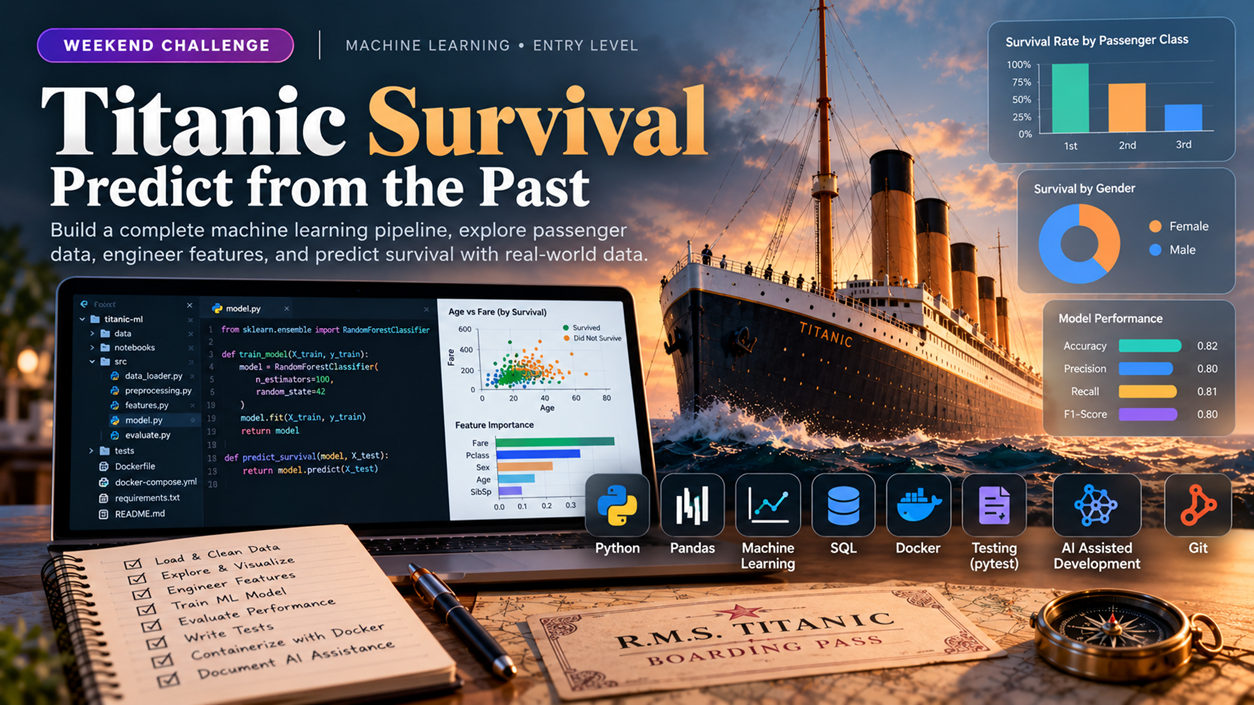
Explore the latest challenge for this roleBuild a machine learning pipeline in Python that predicts passenger survival on the Titanic using the provided CSV dataset, with LLM-assisted prompt engineering to guide feature selection and model debugging. Your solution will be evaluated through repository code review and a mandatory in-app conversation to verify your understanding of the implementation.
AI Engineer
Solo only.
Share this challenge
The Challenge Brief
Problem definition
Input data (download): https://raw.githubusercontent.com/datasciencedojo/datasets/master/titanic.csv
You will work with the Titanic passenger dataset containing columns: Survived, Pclass, Sex, Age, Fare, Embarked, SibSp, Parch. The task is to build an end-to-end ML pipeline that loads the CSV, performs exploratory data analysis, engineers features, trains a classification model, and evaluates performance. You must use version control throughout, document your debugging process, and demonstrate how you used AI assistance (e.g., LLM prompts) to refine your approach. The pipeline must be containerized in Docker and include pytest unit tests for key functions. Every line under Success criteria is in scope for this challenge. Build the core scope in Task brief. Topic coverage uses repository evidence where available and the comprehension conversation; it does not require a separate feature for every topic.
Task brief
You will implement a complete ML workflow covering Version Control, Programming Fundamentals, Python Programming, Debugging & Troubleshooting, AI Assisted Software Development, Machine Learning Fundamentals, LLM Fundamentals, Prompt Engineering, AI Application Development, and Containerization (Docker). Load and clean the Titanic CSV, perform feature engineering (e.g., extracting titles from names, binning ages, encoding categorical variables), train a logistic regression or random forest classifier, and evaluate using accuracy, precision, recall, and F1-score. Write at least three pytest test cases validating data loading, feature transformation, and model prediction. Create a Dockerfile that builds an image with all dependencies. Use git commits to track your progress, and document one instance where you used an LLM prompt to debug or improve your code. Expected effort: 6-8 hours of focused implementation with AI assistance.
Version Control
Version Control is essential for tracking changes to your ML pipeline code, enabling reproducibility and peer review. Throughout this project, you will initialize a Git repository, commit your work at logical checkpoints (data loading, EDA, feature engineering, model training, testing), create branches for experimental features, and resolve any merge conflicts that arise when integrating changes. This ensures your manager can review your code history and understand your debugging decisions.
Programming Fundamentals
Programming Fundamentals underpins the entire ML pipeline: you will use variables and data types to store passenger records, operators and expressions to compute survival statistics, control flow to iterate through data transformations, functions to modularize data loading and preprocessing, collections to manage datasets and model outputs, exception handling to manage missing values and file errors, and file handling to load the Titanic CSV. Demonstrate these fundamentals through working Python code in your pipeline repository, with pytest tests validating key functions.
Python Programming
Python Programming is the core language for this ML pipeline project. You will write Python 3 code to load the Titanic CSV, perform exploratory data analysis, engineer features, train a classification model, and evaluate performance. The code must run without syntax errors, use reusable functions and classes, import required libraries (pandas, scikit-learn, pytest), and include unit tests for key functions.
Debugging & Troubleshooting
Debugging & Troubleshooting focuses on identifying and resolving errors in your ML pipeline as you build, test, and refine the Titanic classification model. You will use logging, breakpoints, and stack trace analysis to diagnose data loading failures, feature engineering bugs, and model training issues. Document your debugging process in version control commits to demonstrate how you isolated root causes and validated fixes.
Ai Assisted Software Development
Build an end-to-end ML pipeline for Titanic passenger survival prediction using Python, incorporating AI assistance throughout development. Document how you use AI assistants (LLM prompts, code generation, debugging) to refine your approach, validate outputs, and recognize limitations. The pipeline must include exploratory data analysis, feature engineering, model training, pytest unit tests, Docker containerization, and version control commits that show your reasoning and AI-assisted refinements.
Machine Learning Fundamentals
Machine Learning Fundamentals covers the end-to-end supervised learning pipeline for the Titanic survival prediction task: loading and exploring data, engineering features, training a classification model, and evaluating its performance. You will demonstrate core ML concepts through a working scikit-learn classifier, version-controlled code, and pytest tests that validate data processing and model behavior.
LLM Fundamentals
LLM Fundamentals teaches you how large language models process and understand text by exploring tokenization, embeddings, context windows, and transformer architecture. In this Titanic ML pipeline project, you will apply these concepts when using an LLM to debug data preprocessing, refine feature engineering logic, and document your reasoning—demonstrating how modern AI tools assist in building reproducible machine learning systems.
Prompt Engineering
Prompt Engineering is the skill of crafting, structuring, and iterating on inputs to AI language models to obtain reliable outputs for pipeline tasks. In this project, you will use prompts to guide LLM assistance during feature engineering decisions, debugging, and model refinement steps. Document your prompts and the LLM responses that shaped your pipeline design, demonstrating how structured prompts improved code quality and reduced iteration cycles.
AI Application Development
AI Application Development integrates LLM APIs, structured outputs, and function calling into the core ML pipeline to enhance feature engineering, model debugging, and documentation. You will use AI assistance (via LLM prompts and structured API calls) to refine your approach to data exploration, hyperparameter tuning, and error diagnosis, then document how these tools improved your pipeline. This skill demonstrates practical integration of AI services into a reproducible, containerized workflow.
Containerization (Docker)
Containerize the end-to-end Titanic ML pipeline using Docker to ensure reproducible execution across environments. Create a Dockerfile that packages the Python application with all dependencies, build an image, and run the pipeline in a container so that teammates can execute the same code without local environment setup. This containerization skill ensures the proof-of-concept is portable and ready for peer review.
Language and stack
Python 3, pytest, scikit-learn, pandas, numpy, Docker, git.
Scenario
You are an entry-level AI engineer at a data analytics startup. The team needs a reproducible ML pipeline to predict which Titanic passengers survived, as a proof-of-concept for a larger historical data analysis project. The pipeline must run consistently in any environment (hence Docker), be testable, and include clear documentation of your reasoning and any AI-assisted debugging steps. Your manager expects the code to be version-controlled and ready for peer review within one working day.
Deliverables
- A Python package with modules for data loading, feature engineering, model training, and evaluation; all functions covered by pytest tests.
- A Dockerfile that installs dependencies and runs the pipeline; verify it builds and executes without errors.
- A git repository with meaningful commit messages showing your development process, including at least one commit message referencing an LLM prompt or debugging insight.
Success criteria
These are repository evidence checks within the core scope, not additional feature requests. One implementation or test may provide evidence for several topics. Missing implementation evidence remains unverified; explanations alone do not demonstrate implementation proficiency.
Version Control
- Repository Setup (beginner): Git repository initialized in the project root with a .gitignore file excluding Python artifacts, virtual environments, and data downloads.
- Basic Commands (beginner): At least 5 commits present in the repository log, each with a clear message describing a distinct phase (e.g., initial setup, EDA complete, model training, tests added).
- Commits (beginner): Commit history shows logical grouping of related changes; each commit message is descriptive and references the work done (e.g., feature engineering or bug fix).
- Branching (beginner): At least one feature branch created and merged back to main; branch name reflects its purpose (e.g., feature/data-exploration or fix/missing-values).
- Merging (beginner): Feature branch successfully merged to main without unresolved conflicts, or conflicts resolved and committed if they occurred.
- Conflict Resolution (intermediate): If merge conflicts occur during integration, evidence of manual resolution in the repository (conflicted sections edited, resolved commit created).
- Pull Requests (intermediate): If using a platform (GitHub, GitLab), a pull request created for at least one feature branch showing description, commit history, and merge action; or equivalent code review documentation if local workflow only.
Programming Fundamentals
- Variables & Data Types (beginner): Repository contains Python code that declares and uses int, float, str, and bool types to represent passenger attributes (e.g., age as float, survived as bool, name as str); inspect type consistency in data loading and feature engineering functions.
- Operators (beginner): Code uses arithmetic (+, -, *, /), comparison (==, !=, <, >), and logical (and, or, not) operators in expressions for data filtering, threshold checks, or survival rate calculations; verify in preprocessing or model evaluation logic.
- Expressions (beginner): Code evaluates compound expressions (e.g., (age > 18) and (fare > 50)) to filter or classify passengers; inspect in conditional statements or feature engineering.
- Control Flow (beginner): Code contains if/elif/else blocks for handling missing values or class imbalance, and for/while loops to iterate over passenger records or model training steps; verify in data cleaning and training functions.
- Functions & Methods (beginner): Code defines at least two reusable functions (e.g., load_data(), preprocess_features(), evaluate_model()) with clear inputs and outputs; pytest tests call these functions and verify return values.
- Collections (intermediate): Code uses lists, dictionaries, or pandas DataFrames to store multiple passengers, feature names, or model metrics; demonstrate iteration and indexing in data aggregation or result reporting.
- Exception Handling (intermediate): Code includes try/except blocks to catch FileNotFoundError (missing CSV), ValueError (invalid data), or KeyError (missing columns); pytest includes a test that verifies graceful error handling.
- File Handling (beginner): Code opens, reads, and parses the Titanic CSV file; inspect in the data loading function and verify the file path is correct in the repository.
Python Programming
- Python Syntax (beginner): CSV loading, data manipulation, and model training code runs without syntax errors and produces expected output.
- Functions (beginner): At least two reusable functions (e.g., data loading, feature engineering, model evaluation) are defined, called correctly, and tested with pytest.
- Modules & Packages (beginner): Code imports and uses pandas, scikit-learn, and pytest; requirements.txt or pyproject.toml lists dependencies; virtual environment is configured.
- Virtual Environments (beginner): Repository includes evidence of venv or conda setup (e.g., activation script, environment.yml, or .venv directory reference in version control).
- Object-Oriented Python (intermediate): At least one class (e.g., TitanicPipeline or DataProcessor) encapsulates related methods and state; class is instantiated and used in the pipeline.
- Data Structures (intermediate): Code uses lists, dictionaries, or pandas DataFrames to organize and manipulate Titanic data; structure choice is appropriate for the operation (e.g., DataFrame for tabular data, dict for configuration).
- Control Flow (intermediate): Code includes conditional logic (if/elif/else) for data validation or model selection, and loops (for/while) for iteration over data or hyperparameter tuning; logic is correct and handles edge cases.
- Functions and Classes (intermediate): Functions accept parameters and return values; classes define init and at least one other method; both are used together in the pipeline (e.g., class method calls utility functions).
- Object Oriented Programming Basics (beginner): Class definition includes attributes and methods; instantiation and method calls are demonstrated in the pipeline code.
- Error Handling (intermediate): Code includes try/except blocks or conditional checks to handle missing data, invalid input, or model training failures; errors are logged or reported clearly.
Debugging & Troubleshooting
- Breakpoints (beginner): Inspect the learner repo for evidence of debugging tool usage (e.g., pdb breakpoints, IDE debugger, or print-based inspection) in at least one script where a data or model error was caught and fixed; assess only if present in commits or test output.
- Debugging Techniques (beginner): Verify that the learner repo contains at least one commit message or code comment explaining how a specific bug was identified and resolved (e.g., NaN handling in Age column, categorical encoding error, or train-test split mistake).
- Logging (beginner): Confirm that the pipeline code includes logging statements (using Python logging module or equivalent) that capture key steps such as data loading, feature engineering, model training, and evaluation; logs must be present in at least one core script.
- Stack Traces (intermediate): Examine the learner repo for evidence that a stack trace or error message was used to guide a fix; look for commits that reference a specific error line number, exception type, or traceback in the message or code comments.
- Root Cause Analysis (intermediate): Verify that the learner repo contains at least one commit or documentation (README, code comment, or test docstring) that explains why a bug occurred and how the fix prevents recurrence (e.g., why a specific data validation check was added).
Ai Assisted Software Development
- Working with AI Assistants (beginner): Repository contains git commits or code comments showing at least two distinct uses of an AI assistant (e.g., generating data loading code, debugging a test failure, refactoring a function) with evidence of the prompt or intent.
- Prompt Writing Fundamentals (beginner): Code or commit messages demonstrate iterative prompt refinement; e.g., an initial prompt that was vague, then a follow-up that added context or constraints, resulting in usable generated code.
- Code Generation (beginner): At least one Python function or module (e.g., data preprocessing, feature engineering, or model evaluation) was generated or significantly refined using AI assistance and is present in the repository with working behavior.
- AI-assisted Debugging (beginner): Git history or code comments show a bug fix or test failure resolution where an AI assistant was consulted; the fix is implemented and tests pass.
- AI-assisted Refactoring (intermediate): Repository shows a refactored code section (e.g., consolidating duplicate preprocessing logic or improving test readability) with a commit message or comment explaining the AI-assisted refactoring rationale.
- AI-assisted Unit Testing (intermediate): Pytest test file contains at least two unit tests that were generated or significantly improved using AI assistance; tests execute and pass, with comments linking to the AI-assisted approach.
- AI-assisted Documentation (beginner): Code includes docstrings or README sections (e.g., pipeline overview, feature engineering rationale) that were drafted or refined using AI assistance, with evidence in commit messages or inline comments.
- AI Output Validation (intermediate): Code or comments demonstrate validation of AI-generated output; e.g., a test that verifies generated preprocessing handles edge cases, or a manual check that generated model code produces expected metrics.
- AI Limitations & Hallucinations (beginner): Commit message, code comment, or comprehension response documents at least one instance where AI-generated code was incorrect or incomplete and required manual correction or verification.
- Responsible AI Usage (beginner): Code or documentation acknowledges appropriate use of AI (e.g., not using AI to bypass learning, crediting AI assistance in comments, or noting when manual review was necessary).
Machine Learning Fundamentals
- Supervised Learning (intermediate): Repository contains a trained classification model (e.g., LogisticRegression or RandomForest) on the Titanic dataset with code that loads CSV, splits data into train/test sets, and fits the model; inspect model.fit() call and prediction output in code or test.
- Unsupervised Learning (beginner): Assess only if present; if clustering or dimensionality reduction code exists, verify it runs without error and produces expected output shape.
- Model Training (intermediate): Training script or notebook shows model instantiation, fit() call with training data, and hyperparameter choices documented in comments or commit messages; verify via code inspection and test execution.
- Model Evaluation (intermediate): Code computes and logs at least two evaluation metrics (accuracy, precision, recall, F1, or AUC) on a held-out test set; inspect metric calculation in source or test output.
- Overfitting & Underfitting (intermediate): Code or tests demonstrate train/test performance comparison (e.g., separate accuracy scores or cross-validation splits); if learning curves or regularization tuning present, inspect reasoning in comments or commit history.
- Feature Engineering (beginner): Data preprocessing includes at least one engineered feature (e.g., derived from Age, Fare, or categorical encoding of Sex/Embarked) with observable transformation in code; verify via data shape change or test assertion.
LLM Fundamentals
- Transformer Basics (beginner): If the learner references or applies transformer-based concepts (e.g., attention, sequence processing) when discussing their LLM-assisted debugging or feature engineering approach, verify the code comments or conversation history show they articulated how the model processes sequential or structured data; assess only if present in documentation.
- Embeddings (beginner): Verify the pipeline code or test output demonstrates that raw features (e.g., categorical Sex, Embarked columns) are converted into numerical representations via one-hot encoding, scaling, or vectorization suitable for the classifier.
- Tokenization (beginner): If the learner uses an LLM to refine data preprocessing or feature engineering, inspect conversation history or code comments for evidence that they articulated how categorical or text data is split into meaningful units before model ingestion; assess only if present in debugging or prompt logs.
- Context Window (beginner): If the learner documents their use of AI assistance (e.g., LLM prompts for debugging), inspect the conversation or code comments for evidence they understood the scope or length constraints of the model input when formulating queries or interpreting responses; assess only if present in debugging logs.
Prompt Engineering
- Prompt Structure (beginner): Repository contains at least one documented prompt (in comments, markdown, or commit message) that clearly specifies task, context, and expected output format when requesting LLM assistance for pipeline design or debugging.
- Zero-shot Prompting (beginner): Evidence of a direct question posed to an LLM without examples (e.g., asking for feature engineering suggestions or model selection rationale) and the resulting code or decision incorporated into the pipeline.
- Few-shot Prompting (beginner): If present in repository: evidence of a prompt that includes one or more worked examples (e.g., sample feature transformations or test cases) provided to the LLM before requesting similar work for the Titanic pipeline.
- Prompt Iteration (beginner): Commit history or inline comments show at least one refinement cycle: an initial prompt, observation of LLM output quality, and a revised prompt that improved clarity or correctness of the response.
- LLM Limitations (beginner): Assess only if present: code comments or documentation note a case where LLM output was incomplete, incorrect, or required manual correction, and the learner adapted their approach accordingly.
AI Application Development
- LLM APIs (intermediate): Repository contains evidence of at least one LLM API call (e.g., OpenAI, Anthropic, or local LLM) used to assist with feature engineering, model selection reasoning, or debugging; the call and its output are logged or documented in code comments or a debug log file.
- Structured Outputs (intermediate): Code demonstrates parsing and validation of LLM API responses into a defined schema (e.g., Pydantic model or JSON schema) for at least one use case such as feature suggestions or hyperparameter recommendations; validation logic is testable.
- Function Calling (intermediate): If LLM API supports function calling, repository shows at least one function definition passed to the LLM and evidence that the LLM invoked it (e.g., to compute statistics, run a model, or fetch data); if not supported by chosen API, assess only if present.
- RAG Fundamentals (beginner): Code or documentation shows retrieval of external knowledge (e.g., dataset documentation, model papers, or domain context) and integration into an LLM prompt to improve pipeline decisions; minimal vector database or simple text search is acceptable.
- Vector Databases (beginner): If vector embeddings or similarity search are used in the pipeline (e.g., to find similar passengers or cluster features), repository contains evidence of vector storage and retrieval; assess only if present in core scope.
Containerization (Docker)
- What is Containerization (beginner): Dockerfile present in repository root that specifies base image, copies source code, installs dependencies, and defines an entry point or default command to run the pipeline.
- Docker Architecture (beginner): Dockerfile demonstrates understanding of layering by using a Python base image and organizing instructions to minimize rebuild time.
- Docker Images (beginner): Image builds successfully from the Dockerfile without errors; verify via docker build output or CI log.
- Docker Containers (beginner): Container runs successfully and executes the ML pipeline (data load, EDA, training, evaluation) to completion without crashing.
- Dockerfile Basics (beginner): Dockerfile includes FROM, COPY, RUN, and CMD or ENTRYPOINT instructions; uses a specific Python version tag.
- Building Images (beginner): docker build command executes successfully and produces a named image; evidence in commit history or CI/CD logs.
- Running Containers (beginner): docker run command executes the pipeline inside the container; output or logs show pipeline completion.
- Environment Variables (beginner): Dockerfile or docker run uses ENV or -e flags to pass configuration (e.g., data path, model output directory) if present in core pipeline.
- Docker Volumes (beginner): If data or model artifacts are persisted, Dockerfile or run command includes VOLUME declaration or -v mount to map host directories; assess only if present in core.
- Docker Networks (beginner): If multiple services are needed, docker-compose.yml or network configuration is present; assess only if multi-container setup exists in core.
- Docker Compose (intermediate): If docker-compose.yml exists, it defines the ML pipeline service with build context, volumes for data and models, and environment variables; assess only if present.
- Container Debugging (intermediate): Repository includes evidence of debugging steps (e.g., commit messages, comments, or test logs) showing how the learner resolved container runtime issues or dependency conflicts.
What to explain
AI assistance is allowed while building the submission. During the comprehension conversation, answer independently without AI tools, search, or outside help. Be ready to trace your actual code, explain decisions and limitations, and reason about a small change or failure case. Conceptual topics do not require a separate coded feature.
Version Control
- Repository Setup (beginner): Explain why .gitignore is necessary and what file types should be excluded from version control in a Python ML project.
- Basic Commands (beginner): Describe the purpose of git add, git commit, and git log; explain how you used them to track your pipeline development.
- Commits (beginner): Critique one of your own commits: was the scope appropriate, and would the message help a teammate understand the change?
- Branching (beginner): Explain why you created a branch for a specific feature and how branching helped you work without disrupting the main codebase.
- Merging (beginner): Describe the merge process you used; explain what git merge does and how you verified the merged code was correct.
- Conflict Resolution (intermediate): If conflicts occurred, explain what caused them, how you identified which changes to keep, and how you tested the resolution. If no conflicts occurred, describe a scenario where they might arise in a multi-person team and how you would resolve them.
- Pull Requests (intermediate): Explain the purpose of a pull request in a team setting; describe how code review comments or CI checks would influence your merge decision, and how you would respond to feedback.
Programming Fundamentals
- Variables & Data Types (beginner): Explain why you chose specific types (int for passenger ID, float for age) and how type mismatches could break your pipeline.
- Operators (beginner): Describe one comparison or logical operator you used to filter passengers and why that condition matters for your analysis.
- Expressions (beginner): Walk through a compound expression from your code (e.g., survival prediction threshold) and explain how each part contributes to the result.
- Control Flow (beginner): Trace through a for loop or if/elif block in your preprocessing code; explain what happens on the first and last iteration or branch.
- Functions & Methods (beginner): Justify why you separated data loading into its own function rather than writing it inline; what benefit does modularity provide for testing and reuse?
- Collections (intermediate): Explain how you chose between a list, dictionary, or DataFrame for storing passenger records; what operations (filtering, grouping, indexing) drove that choice?
- Exception Handling (intermediate): Describe a real error you encountered (e.g., missing age values, file not found) and how your try/except block prevents the pipeline from crashing.
- File Handling (beginner): Explain the file path you used to load the Titanic CSV and how you verified the file exists before reading it.
Python Programming
- Python Syntax (beginner): Explain why the CSV loading code uses pandas.read_csv and how data types are inferred or specified.
- Functions (beginner): Describe the purpose of each reusable function, what parameters it accepts, and why it was separated from the main pipeline logic.
- Modules & Packages (beginner): Explain why pandas, scikit-learn, and pytest were chosen; describe how the virtual environment isolates dependencies.
- Virtual Environments (beginner): Explain the role of the virtual environment in ensuring reproducibility across different machines.
- Object-Oriented Python (intermediate): Describe the class design: what state and methods it encapsulates, why grouping them together improves code organization, and how the class is instantiated and used in the pipeline.
- Data Structures (intermediate): Explain why DataFrames are used for tabular data instead of lists or dictionaries; describe how column selection, filtering, or aggregation operations leverage the chosen structure.
- Control Flow (intermediate): Trace through the conditional and loop logic; explain how edge cases (e.g., missing values, empty splits) are handled and what would happen if a condition were removed or inverted.
- Functions and Classes (intermediate): Explain how functions and classes interact in the pipeline; describe a scenario where a class method calls a utility function and what data flows between them.
- Object Oriented Programming Basics (beginner): Describe the attributes defined in init, the methods available on the class, and how they are called in the pipeline.
- Error Handling (intermediate): Identify the error-handling mechanisms in the code; explain what exceptions or edge cases they catch and how the pipeline recovers or reports the error.
Debugging & Troubleshooting
- Breakpoints (beginner): Explain when and why you would use a breakpoint versus a print statement to debug the data loading or model training phase; describe what information you would inspect at that breakpoint.
- Debugging Techniques (beginner): Describe one specific bug you encountered in the pipeline (data, feature, or model), the technique you used to find it, and how you verified the fix worked.
- Logging (beginner): Explain what information you logged at different stages of the pipeline and why those log messages would help you or a teammate troubleshoot a failure in production.
- Stack Traces (intermediate): Walk through a stack trace from one of your test failures or runtime errors; identify the root cause line and explain how you traced backward through the call stack to understand what went wrong.
- Root Cause Analysis (intermediate): Describe a bug you fixed in the pipeline; explain the underlying reason it occurred (e.g., missing data, incorrect data type, wrong parameter) and how your fix addresses the root cause rather than just the symptom.
Ai Assisted Software Development
- Working with AI Assistants (beginner): Explain two specific tasks in your pipeline where you used an AI assistant and why you chose to use it for each (e.g., speed, unfamiliar library, debugging).
- Prompt Writing Fundamentals (beginner): Describe one prompt you wrote to an AI assistant that did not work well initially, what was missing, and how you refined it to get better results.
- Code Generation (beginner): Show one AI-generated function from your pipeline and explain how you verified it was correct before committing it.
- AI-assisted Debugging (beginner): Walk through one bug or test failure you encountered, how you described it to an AI assistant, and whether the suggested fix worked or required adjustment.
- AI-assisted Refactoring (intermediate): Identify one section of your code that was refactored with AI assistance and explain the trade-offs between the original and refactored versions (e.g., readability vs. performance).
- AI-assisted Unit Testing (intermediate): Review one of your AI-assisted tests and explain how you ensured it actually tests the intended behavior and is not just a superficial check.
- AI-assisted Documentation (beginner): Critique one docstring or README section you drafted with AI help; what did the AI do well, and what did you have to clarify or correct?
- AI Output Validation (intermediate): Describe your process for validating AI-generated code; what checks did you perform (e.g., unit tests, manual inspection, edge case testing) and why were they necessary?
- AI Limitations & Hallucinations (beginner): Give an example of AI-generated code or suggestion that was incorrect or misleading in your project, and explain how you caught and corrected it.
- Responsible AI Usage (beginner): Reflect on your use of AI in this project; did you use it appropriately to accelerate learning and development, or did you rely on it in ways that bypassed understanding? How did you balance efficiency with learning?
Machine Learning Fundamentals
- Supervised Learning (intermediate): Explain why classification (not regression) is appropriate for the Titanic survival task and describe how train/test split prevents overfitting.
- Unsupervised Learning (beginner): If clustering or PCA code is present, explain its purpose in the pipeline and how results inform or validate supervised model assumptions; if absent, explain one unsupervised technique that could explore passenger patterns.
- Model Training (intermediate): Describe the role of fit() and why hyperparameters matter; discuss one choice made (e.g., max_depth, C, or solver) and its expected effect.
- Model Evaluation (intermediate): Justify choice of at least two metrics for this imbalanced or balanced dataset; explain what each metric reveals about model performance.
- Overfitting & Underfitting (intermediate): Interpret train vs. test performance gap; if gap is large, propose a cause (e.g., model complexity, data size) and a mitigation strategy.
- Feature Engineering (beginner): Explain why the engineered feature(s) were chosen and how they relate to survival prediction (e.g., Age groups, fare normalization, or sex encoding).
LLM Fundamentals
- Transformer Basics (beginner): Describe the high-level role of transformers in modern LLMs and explain how understanding attention or sequence processing helped you formulate better debugging questions or interpret the LLM responses when refining your pipeline logic.
- Embeddings (beginner): Describe the difference between raw categorical features and their numerical embeddings in your pipeline; explain why converting Sex and Embarked to one-hot or ordinal representations is necessary for the classifier, and how an LLM helped you choose the right encoding method.
- Tokenization (beginner): Explain how the Titanic dataset columns (e.g., Sex, Embarked) or any text preprocessing steps would be tokenized before being fed into a model, and describe how you used an LLM to clarify this concept during your pipeline development.
- Context Window (beginner): Explain what a context window is in the LLM you used for debugging, and describe how you structured your prompts to stay within its limits when asking for help with feature engineering or model evaluation.
Prompt Engineering
- Prompt Structure (beginner): Explain the difference between a vague prompt (e.g., "help me with my model") and a well-structured prompt for this pipeline. What context and constraints did you include?
- Zero-shot Prompting (beginner): Describe one zero-shot prompt you used in this project. Why was it effective, or what did you have to clarify afterward?
- Few-shot Prompting (beginner): If you used few-shot prompting, explain how the examples you provided guided the LLM output. If not used, describe a scenario in the pipeline where few-shot prompting could have improved the LLM response.
- Prompt Iteration (beginner): Walk through one prompt refinement cycle. What was unclear in the first version, and how did you change the wording or structure to get a better result?
- LLM Limitations (beginner): Describe one limitation you encountered when using an LLM for this project (e.g., hallucinated function names, incorrect logic, or outdated library syntax). How did you verify and correct the output?
AI Application Development
- LLM APIs (intermediate): Explain how you chose your LLM provider and API endpoint; describe one specific prompt you used to improve the pipeline and how the response changed your approach.
- Structured Outputs (intermediate): Walk through the schema you defined for LLM responses; explain why validation was necessary and show how you handled a case where the LLM output did not match the schema.
- Function Calling (intermediate): If used, describe the function signature you passed to the LLM and explain why delegating that task to the LLM was better than calling it directly in your code; if not used, explain why your chosen API did not support it or why it was not applicable.
- RAG Fundamentals (beginner): Describe the external knowledge source you retrieved and how it informed a decision in your pipeline (e.g., feature selection, model choice, or hyperparameter tuning).
- Vector Databases (beginner): If vector search is present, explain the embedding method and how similarity search improved your pipeline; if not present, explain why it was not needed for this task.
Containerization (Docker)
- What is Containerization (beginner): Explain why containerization solves the reproducibility problem for the Titanic pipeline and how it differs from running code directly on the host machine.
- Docker Architecture (beginner): Describe the role of the Docker daemon, images, and containers in the context of running this ML pipeline.
- Docker Images (beginner): Explain what a Docker image is and how it differs from a container; identify the base image chosen and justify the choice.
- Docker Containers (beginner): Describe what happens when the container starts and how the pipeline code executes inside it.
- Dockerfile Basics (beginner): Walk through the Dockerfile line by line and explain the purpose of each instruction (FROM, COPY, RUN, CMD).
- Building Images (beginner): Explain the docker build process, including how layers are created and cached.
- Running Containers (beginner): Describe the docker run command used to execute the pipeline and explain what flags or options were chosen and why.
- Environment Variables (beginner): Explain how environment variables are set in the Dockerfile or at runtime and how they configure the pipeline execution.
- Docker Volumes (beginner): If volumes are used, explain how they allow data and model artifacts to persist or be shared between the host and container.
- Docker Networks (beginner): If networking is configured, explain how containers communicate and why network isolation is useful for multi-service setups.
- Docker Compose (intermediate): If docker-compose.yml is present, explain how it simplifies running the pipeline and any dependencies compared to manual docker run commands.
- Container Debugging (intermediate): Describe a specific container issue encountered (e.g., missing dependency, incorrect path, or permission error), how you diagnosed it (e.g., docker logs, docker exec), and how you resolved it in the Dockerfile or run configuration.
How to submit
- Before you start, register on the SahkaarX platform and connect your GitHub account.
- When the challenge begins, SahkaarX will create a private GitHub repository and notify you in the app and via push notification; do not create your own repository.
- Clone the system-created private repo, implement your solution locally, and push your code regularly using git.
- When ready, submit your solution in the app by providing the repository URL; the system will confirm receipt.
What happens after you submit
After the challenge window closes, an automated AI-powered repository review will analyze your code for correctness, test coverage, and adherence to best practices. You will then be required to complete a mandatory in-app conversation where you explain your implementation choices, how you used LLM assistance, and how you debugged issues. This conversation verifies your understanding of your own work and is not a quiz. If human judges are assigned, they will review the automated scores and your conversation transcript before final results are published.
Intellectual property
You retain full ownership of the code and work you submit. SahkaarX may host, evaluate, display on leaderboards, and operate the challenge using your submission. Your GitHub repository remains private under your account; you control access and can modify or delete it after the challenge.
Skills You’ll Put to Work
Version Control
- Repository SetupBeginnerFundamental
- Basic CommandsBeginnerFundamental
- CommitsBeginnerFundamental
- BranchingBeginnerFundamental
- MergingBeginnerFundamental
- Conflict ResolutionIntermediateFundamental
- Pull RequestsIntermediateFundamental
Programming Fundamentals
- Variables & Data TypesBeginnerFundamental
- OperatorsBeginnerFundamental
- ExpressionsBeginnerFundamental
- Control FlowBeginnerFundamental
- Functions & MethodsBeginnerFundamental
- CollectionsIntermediateFundamental
- Exception HandlingIntermediateFundamental
- File HandlingBeginnerFundamental
Python Programming
- Python SyntaxBeginnerFundamental
- FunctionsBeginnerFundamental
- Modules & PackagesBeginnerFundamental
- Virtual EnvironmentsBeginnerFundamental
- Object-Oriented PythonIntermediateFundamental
- Data StructuresIntermediateFundamental
- Control FlowIntermediateFundamental
- Functions and ClassesIntermediateFundamental
- Object Oriented Programming BasicsBeginnerFundamental
- Error HandlingIntermediateFundamental
Debugging & Troubleshooting
- BreakpointsBeginnerFundamental
- Debugging TechniquesBeginnerFundamental
- LoggingBeginnerFundamental
- Stack TracesIntermediateFundamental
- Root Cause AnalysisIntermediateFundamental
Ai Assisted Software Development
- Working with AI AssistantsBeginnerFundamental
- Prompt Writing FundamentalsBeginnerFundamental
- Code GenerationBeginnerFundamental
- AI-assisted DebuggingBeginnerFundamental
- AI-assisted RefactoringIntermediateFundamental
- AI-assisted Unit TestingIntermediateFundamental
- AI-assisted DocumentationBeginnerFundamental
- AI Output ValidationIntermediateFundamental
- AI Limitations & HallucinationsBeginnerFundamental
- Responsible AI UsageBeginnerFundamental
Machine Learning Fundamentals
- Supervised LearningIntermediateFundamental
- Unsupervised LearningBeginnerFundamental
- Model TrainingIntermediateFundamental
- Model EvaluationIntermediateFundamental
- Overfitting & UnderfittingIntermediateFundamental
- Feature EngineeringBeginnerFundamental
LLM Fundamentals
- Transformer BasicsBeginnerFundamental
- EmbeddingsBeginnerFundamental
- TokenizationBeginnerFundamental
- Context WindowBeginnerFundamental
Prompt Engineering
- Prompt StructureBeginnerFundamental
- Zero-shot PromptingBeginnerFundamental
- Few-shot PromptingBeginnerFundamental
- Prompt IterationBeginnerFundamental
- LLM LimitationsBeginnerFundamental
AI Application Development
- LLM APIsIntermediateFundamental
- Structured OutputsIntermediateFundamental
- Function CallingIntermediateFundamental
- RAG FundamentalsBeginnerFundamental
- Vector DatabasesBeginnerFundamental
Containerization (Docker)
- What is ContainerizationBeginnerFundamental
- Docker ArchitectureBeginnerFundamental
- Docker ImagesBeginnerFundamental
- Docker ContainersBeginnerFundamental
- Dockerfile BasicsBeginnerFundamental
- Building ImagesBeginnerFundamental
- Running ContainersBeginnerFundamental
- Environment VariablesBeginnerFundamental
- Docker VolumesBeginnerFundamental
- Docker NetworksBeginnerFundamental
- Docker ComposeIntermediateFundamental
- Container DebuggingIntermediateFundamental
Before You Register
- Prerequisites: review the target audience, skills covered, and challenge brief.
- Deadlines: check the key dates and complete required submissions before the challenge deadline.
- Participation: Solo only.
- Evaluation: review the brief and FAQs for scoring criteria and how your work will be assessed.
- AI assistance: check this challenge's rules before using AI tools. If the rules are unclear, ask support before submitting.
Questions? Contact SahkaarX support.
Intellectual property: participants retain
Frequently Asked Questions
Who can join this challenge?
This is an open challenge for entry-level AI engineers. Solo participation is allowed; teams are not permitted.
Do I need to create my own GitHub repository?
No. SahkaarX will create a private repository for you when the challenge starts. Clone that repo and push your work there; do not create a separate repository.
When does evaluation happen?
Automated repository review runs after the challenge window closes, not immediately after you submit. You will then complete a mandatory in-app conversation to discuss your code and approach.
What is the mandatory in-app conversation?
After submission, you must participate in a structured conversation where you explain your implementation, how you used AI assistance, and how you debugged problems. This verifies your understanding and is not a written quiz.
Skill feedback helps you decide what to practise next. Learning plans follow eligible evaluated results; additional plans are paid. No job guarantee.